
Introduction guide: Cases
So that you can work not only with tasks but also with complex structures, we have created a new function: creating records from activities! The record thus becomes a beefed-up task.
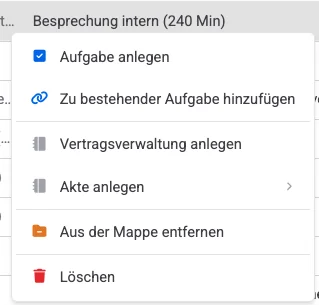
On the home page, in the modules and in the history, i.e. in almost every list view of activities, you can now use the right mouse button to create not only tasks but also records. So I can create a project directly from an e-mail. No data is taken over from the activity, but a link is created between the activity and this record. In principle you can also do this with several selected activities.
With this mechanism you can then create “pro tasks”, so to speak. You can then add different activities to a “task” or give a task a new property through record fields. Why not create a new record type “Vorgänge” (cases), in which the “pro tasks” are then typically created.
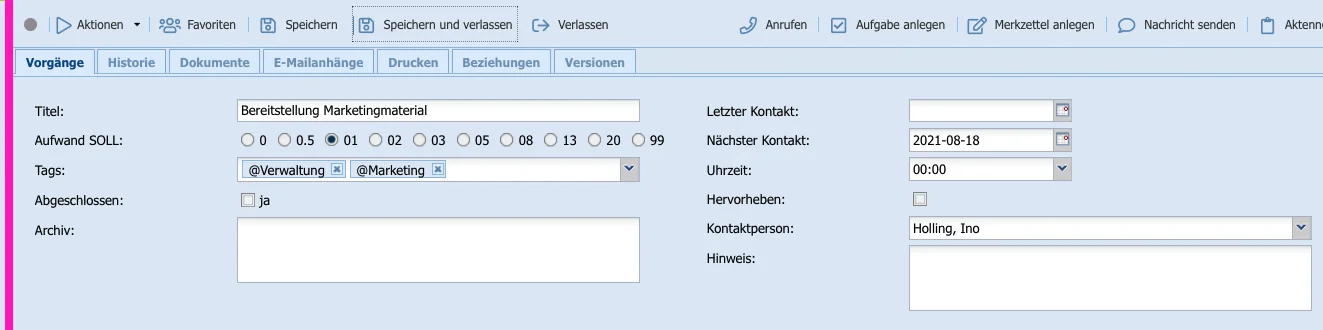
This record should deliberately be leaner than project management, but it does have a few similarities; speed comes first. You should at least fill in the title and the next contact and create a list “Meine Vorgänge” (My cases).
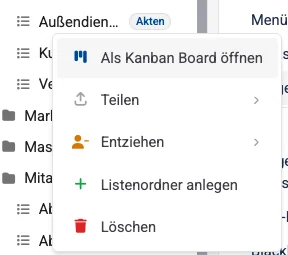
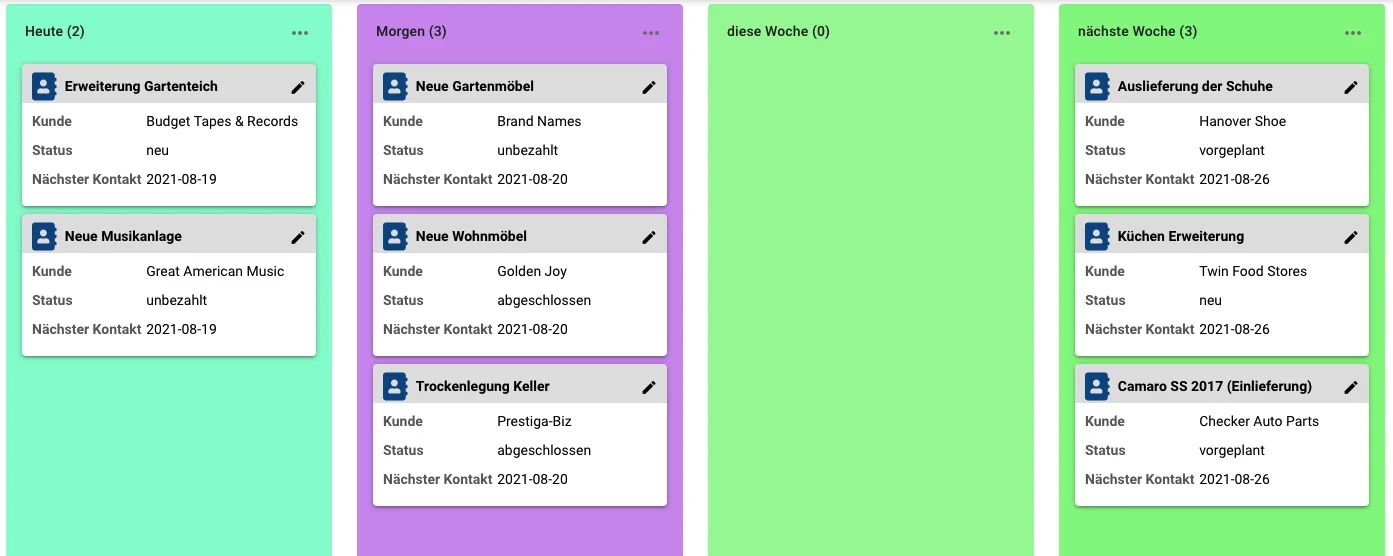
If you then open the list as a Kanban board, you can see when and how many cases are lying somewhere in the future (days or weeks), and you can quickly move the cases with the follow-up function of the Kanban board. This is why you will now also find the two functions “Auf morgen” (To tomorrow) and “In die nächste Woche” (Into next week) in the context menu of the record lists; they let you quickly push back the next contact of a record.
To tell tasks and cases apart, you should stick to the old rule: a single step is a task; if completing it takes several steps, simply use cases or projects. Projects are typically more complex than cases.
Cases are of course also a nice way of forming clusters or groupings. This means I can put a group of activities from a history into a case and get an overview of a customer’s cases or topics straight away in the relationships tab. This also lets you bundle whole series of activities. Example: the case “Kundengewinnung” (winning customers), “Installation” or “Erweiterung” (expansion).
Tips:
- The context menu always shows the record types you have used most often for creating
- The quickest way to reach your cases is to add the corresponding Kanban board to your favourites