
The new e-mail search lets you find specific e-mails again in a more differentiated way. As before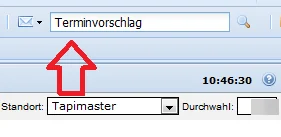 , the mail search at the top right of the system opens a full-text search across all mails you are authorised for. In the example, all mails containing the word “Terminvorschlag” (appointment proposal) in the mail text or subject would be found.
With the new search, however, you can also search in a more differentiated way, by specific values in the subject, sender names or sender addresses. Activate this search in the mail centre via the “suchen” (search) button.
The search function now opens; it searches the mailbox you clicked or, for example, the outbox if that is selected. If you have access to several mailboxes, you can also select the “mein Posteingang” (my inbox) tab; then all mailbox inboxes you have direct access to are searched.
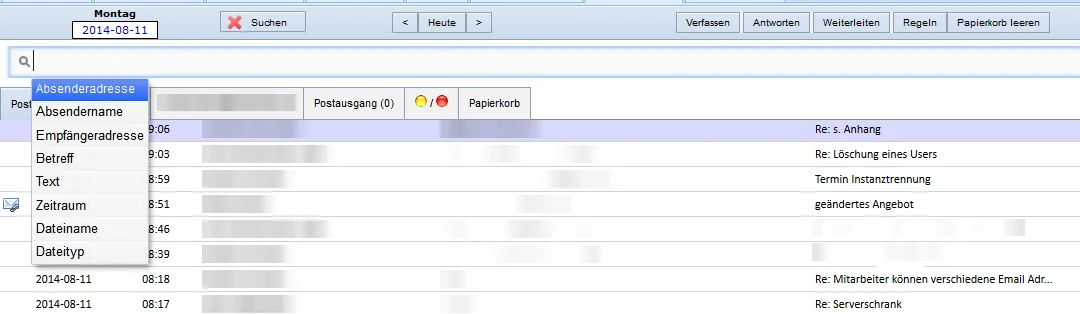
First select the area you primarily want to search in and click it. In this case, for example, the sender name.
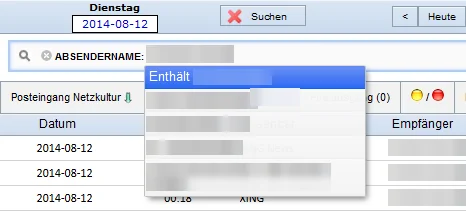
As soon as you type, the system offers you the possible values, which you can apply by clicking them. Alternatively, choose the first option, in this case “enthält” (contains) Zimmermann, to show all results in which “Zimmermann” appears as the sender name. The results list is already shown in the background.
You can now combine various search options and add them one after the other to narrow down the results.

You can also limit the period of the results. In addition, you can search for mail attachments, by file type or file name, and combine this with the other options too.

You can delete the search results and selections again via the red X at the top.
Another convenient function for searching for and selecting mails from a particular sender is the small magnifying glass after a sender address in incoming mails

Clicking this magnifying glass searches for and displays all e-mails from this sender that have arrived in the mailbox concerned.