
For users
The first update of 2026 is coming up, and once again we are letting you know everything that is in store for you.
This time the highlights are the timer for time tracking, document upload for external users, the Feature Zone and much more.
As always, you will find all the details here.
General
- New timer function for recording times in the calendar. You will now find a new hourglass symbol in the top bar and in the records. With it you can start a timer with one click, for example to record the time for a ticket or a project.
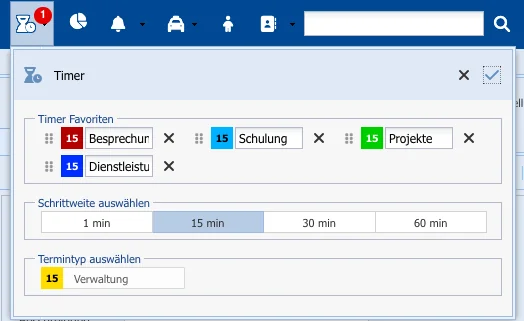
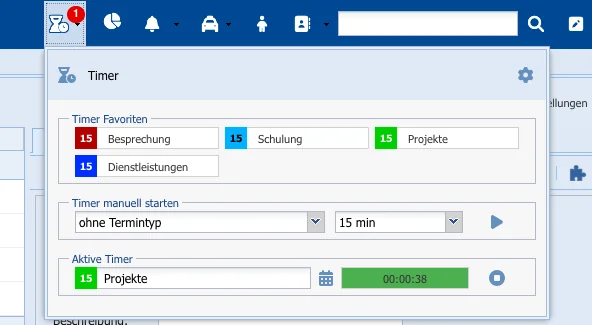 In the background, this starts an appointment that grows along with it. When you stop the timer, the appointment opens automatically so you can adjust the title if needed. This way your calendar is always perfectly kept, and you can also record billable work. The timer also works in the app version. So I can start a timer and then keep using it on the go. For everyone who uses infra-struktur as a ticket system, it is a huge simplification and also gives you the option of evaluating these times automatically via our free interfaces. Of course, the appointments created are also linked directly to the right record. Via the gear symbol, each user can set their preferred appointment types and the step size of the appointments created.
- With the Feature Zone, you can now always find out directly how to use infra-struktur even better beyond the standard functions. Most people don’t even know everything that is available to make their working day easier. If you have not used contract management yet, or don’t know DateSlot, help is now at hand. In the top bar, the rocket symbol is shown once when there is something new.
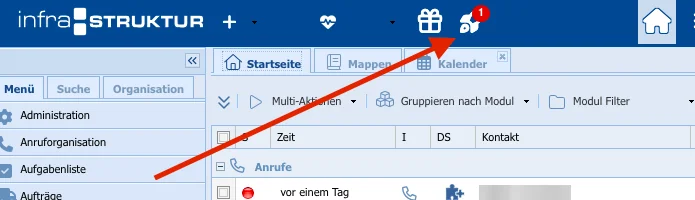 When you click it, the Feature Zone opens and the symbol is hidden, but it can be clicked in the same place at any time if you want to look at the information again later. Most of the functions presented there can be used free of charge by customers with a full-service contract. If you are interested in a topic, just send the request and we will get back to you very quickly.
- If you like the newer, clearer view of the app, you can now also use it as a fully fledged Smart version on your desktop workstation. To do so, simply log in here with your normal infra-struktur details: https://infra-struktur.app There you work on exactly the same database as in the classic version. Everything is LIVE!! You will even find one or two new functions there. Unlike in the app, there are also panels for mails, calls etc. here, as in the classic version. More space = more functions. And you can find everything new in this version HERE
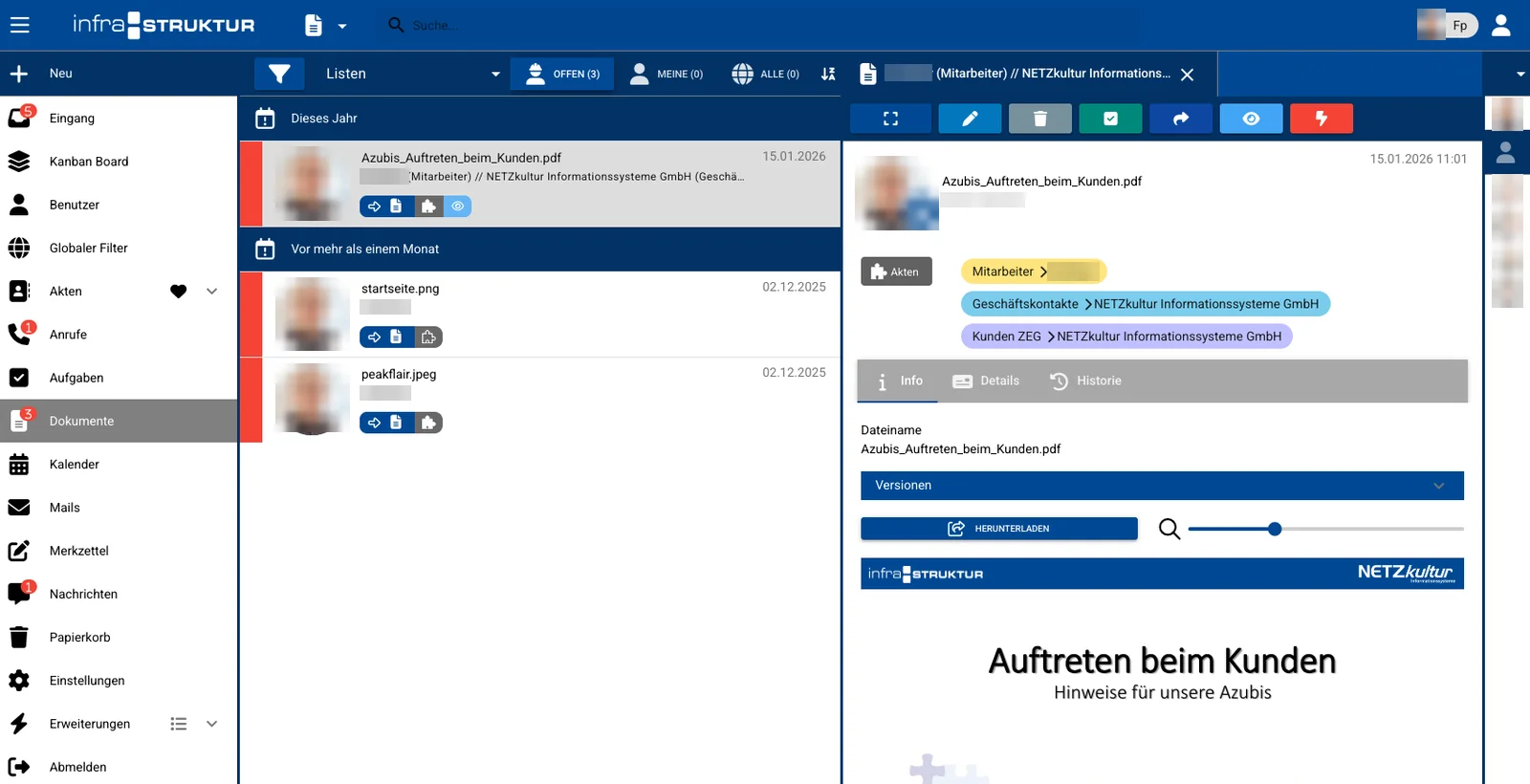
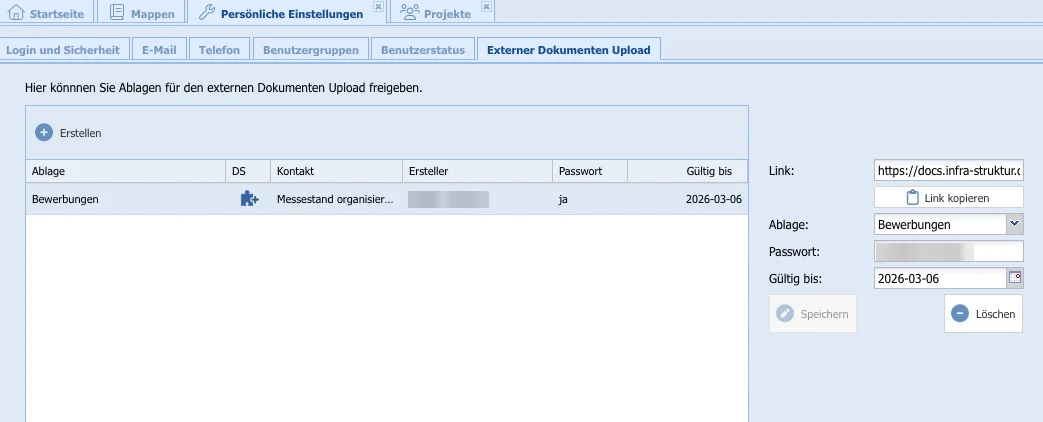
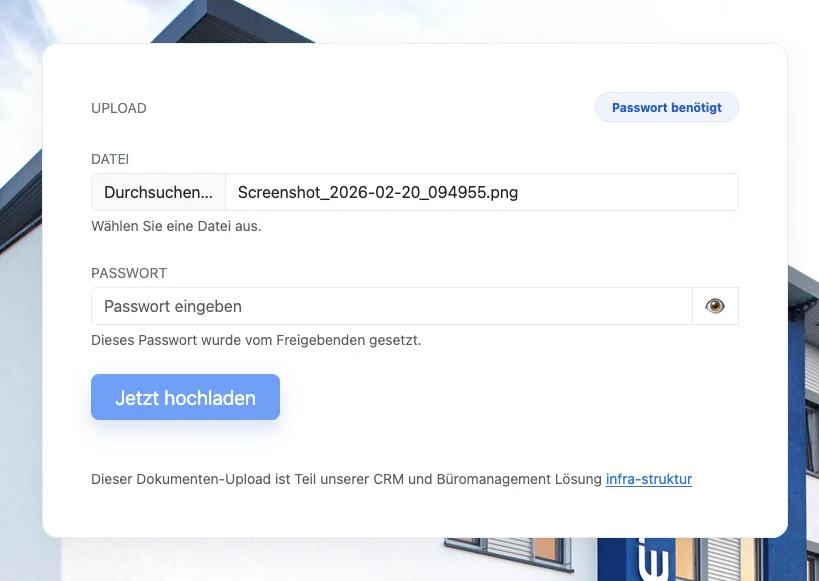
- You can now also have documents uploaded to your storage from outside, without an infra-struktur login. In your personal settings you will find a new item for this, where you can manage your sharing links. A link can optionally have limited validity or require a password. Special highlight: using the puzzle button, you can tell the link directly which records the information should be linked to. This way, for example, the technician’s photos end up directly in the right project or with the right customer.
Support via co-browsing
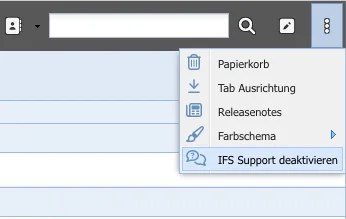
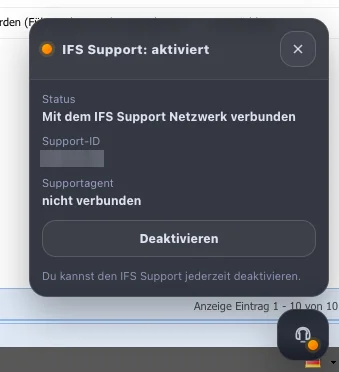
- To support you even better in future, we have now built in a co-browsing function. When we ask you to, you can activate this function at the top right in the 3-dot menu. Your support agent can then see your infra-struktur and guide you. If needed, remote control can also be requested. You also have to confirm this with a click. This lets us quickly show you things or look at existing problems together with you.
- The geofence function did not log a user out outside the time set as active. So anyone who stayed later on Friday was shown as online all weekend. The problem has been fixed.
Calls
- Our interfaces have been extended so that phone systems can pass us the duration and the information on who answered the call. For everyone who uses NETZkultur cloud telephony, there is already a module for this. Everyone else can take this information to their service provider.
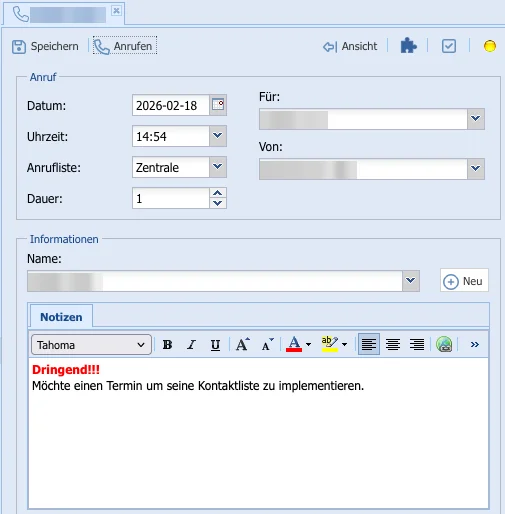
- There is a new editor for calls, so you can give your entries the finishing touch and perhaps highlight particularly important information.
Mail centre
- Under certain circumstances, mail templates lost their attachments after being used once. This no longer happens.
- Quite technical, but the formatting of our mails has been revised so that they are now displayed even more reliably.
- Deleted mails also triggered an alert in the notification centre. That made no sense, so it no longer happens.
Digital records
- The Easybill tab did not show more than 100 invoices. Now you can see everything again.
- In the calendar week view, the Kanban board had a calendar week 0. Without a flux capacitor, that simply cannot be processed, so we have repaired it and the display is correct again.
For administrators
Interface
- The interface for calls has been considerably extended to automatically enter both reasons for calls from outside and additional details such as the duration and who answered a call. This makes it possible, for example, to connect many external AI tools that can pass on the information they collect via a webhook.
- We now run whisper servers (OpenAI) for all clusters to transcribe audio files passed via the interface. The transcription is then written into the corresponding call. For users of NETZkultur cloud telephony, this is already available as a ready-made module, for example to convert voicemail audio into text.