
For users
Maintenance update (20/07/2018)
Today there is one more small fix for the task list.
Maintenance update (19/07/2018)
Besides many small improvements, this update also brings the following.
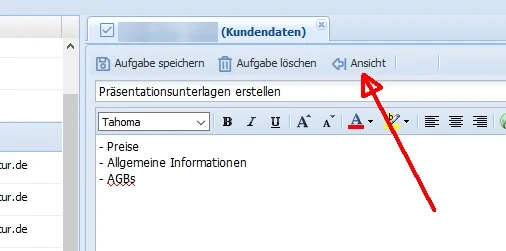
- Creating tasks from an appointment works again.
- For future activities, the date is now shown in red in the new modules. This helps you find your way around.
- Delegated recurring tasks now consistently turn red after they are created.
- A bug when arranging binders was found and fixed.
With this update, the new modules get a whole batch of new functions once again, plus many small improvements and bug fixes.
We are also laying the technical foundation for the new digital records and the new lightning-fast activity tab, which we will be able to present to you soon.
As always, you will find the details of this update here:
General
- in the e-mail area, we were able to squeeze a lot more performance out of the searches once again. In our test, we searched 1.8 million e-mails in 3 seconds.
- every panel on the home page and in the new modules can now be maximised with one click.
Mail centre
- a new version of the editor is now used in the compose window. Fonts are rendered more cleanly, and the update itself brings a batch of further improvements.
- various problems with how fonts are displayed in the compose window have been fixed.
- downloading several attachments with umlauts in their names had a problem… not any more.
- inactive users are no longer available for auto-globalising. Why would they be..?
Calendar
- the display of all-day appointments in external calendars has been improved once again.
- the prompt after you have assigned an appointment to a new appointment type has been adjusted a little.
- when a user changed someone else’s recurring appointment, only the first appointment was correct. Now all the following ones are too.
- requesting a new confirmation after an appointment has been changed works again.
- alarms are now also copied over completely in recurring appointments.
Organisation menu
- when you opened a list, other modules could open too. We have broken them of that habit.
- some binders had the problem that they lost their link to their parent binder. We have been able to solve this problem.
- if binders contained a planned activity, no content was shown any more. That works again.
- outgoing e-mails had the wrong icon in binders.
Data records
- The icon for tasks was broken in the results of a search across digital records. It’s fine again now.