
For users
Today’s update once again brings you a whole lot of new things, and many existing areas have been improved.
The most important new features are:
- The new top bar for faster access to the modules, better orientation and a fresh design.
- The new icons and names.
- The new dropzone for uploading documents in a flash
- The new signature manager with the optional possibility of maintaining signatures centrally.
Of course, there is also once again a whole series of smaller improvements and fixed bugs. You will find the details listed here.
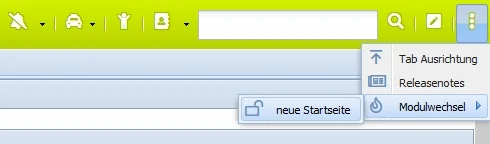
Note: If you are still using the new start page in the optional version with the switch, you need to activate it again once today after the update. Here is where you will find the switch in the new version:
General
- The delegate window can now be resized with the mouse. Very helpful with long lists of users!
- Searching, finding and linking records is a central part of the system and is subject to strict permission structures. For example, it is possible to see only records in which you are the contact person or in which you have or had a task. We have reviewed this concept once more and updated it for new processes. Nothing more is visible than before. We have only defined the setting options more clearly.
Home
- The status change is a fairly complex and sensitive area. We have adjusted quite a bit here to optimise its behaviour. If you often have fluctuations in the network or low speeds, you can set the status change to “exakt” (exact) in the settings on the start page. This is effectively the “safe mode” for the start page.
- Changing the status with the right-click menu has also been improved once more.
- The display of attachments has been completely revised once more. The previews now open in a new tab in the panel, and downloading is more consistent.
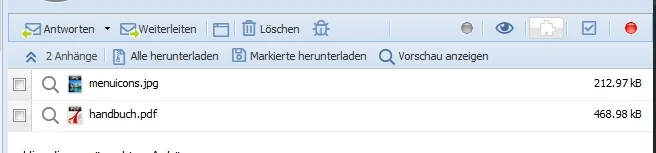
- The source code can now also be shown in the panel of a mail on the start page. We have given it its own button.
- The bug where the reply button of a mail disappeared after replying once has been fixed.
- If you wanted to send a document from the start page as a mail via right-click, it did not work. Of course, it works again now.
- We have removed the grouping by status again. The idea was good, but the logical behaviour made it unusable. A red mail that I click to yellow then jumps straight down. Sometimes you have to be able to let go.
Mail centre
- On the new start page, certain types of attachments only became visible after the mail had been opened once in the mail centre. This now works immediately.
- When searching for documents in the compose window, umlauts were displayed incorrectly. Right again now.
- For automatically saved drafts, the attachments were sometimes not saved with them.
- When forwarding, links were sometimes not carried over. Also fixed.
IDO (records)
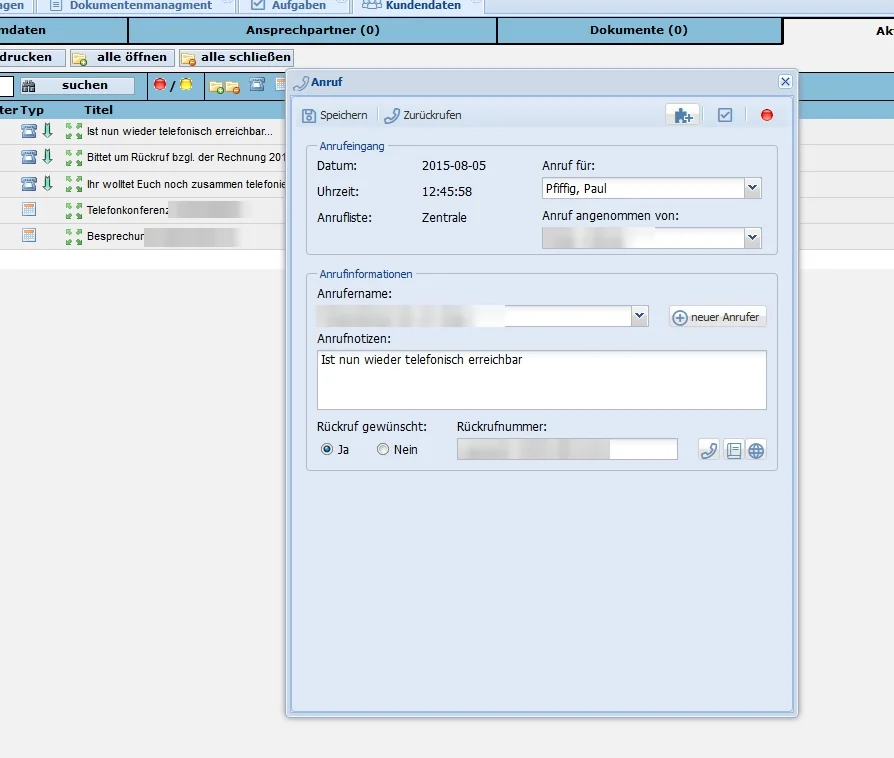
- The “Spoing” button in the activities tab now opens the panels, as you know them from the start page. This makes it possible to edit all activities fully in the record too, without having to jump into the module as before. So you can now also set information to “green” directly in the record, change content and edit the person handling it. Save the whole thing and close it with the “x”.
- In the IDO Fusion add-on module, the search has been revised. Sometimes there were configurations in which no search result was delivered.
- Individual switch values were sometimes not available in IDO Fusion.
Notes
- Even with published notes, not all users were always visible under the rights.
- It could happen that permissions on a note were no longer set after editing. This has been fixed.
Tasks
- It could happen that permissions on a task were no longer set after editing. This has been fixed.
- Alarms sometimes came even when a task had been completed with green. That of course makes no sense.
Messages
- Actions such as publish (well…. used to the new term yet?) and link now always refer to a complete conversation and no longer to the individual message.
Mobile /m
- The note and archive fields are now shown again.
Call list
- For customers where faxes are integrated via the Fax2mail function, it could happen that faxes were added to the fax list again after a long time.
- The suggestions for the most likely caller, shown first for a phone number, have been refined further. The most frequent caller is shown, but now only from a period of one year.
For administrators
*work in progress*
We have also done quite a bit for the administrators.
The most important changes are certainly the signature administration, the new icon selection in menu management and the extension of the rights structure with the so-called “Sonderrechte” (special rights)
Here are the changes in detail.
Menu management
- The menu items for the modules can no longer be changed. This was necessary to enable the fixed links in the new top bar
- The new icon set can be used in menu management. You can now even search/filter by (English) keywords here.
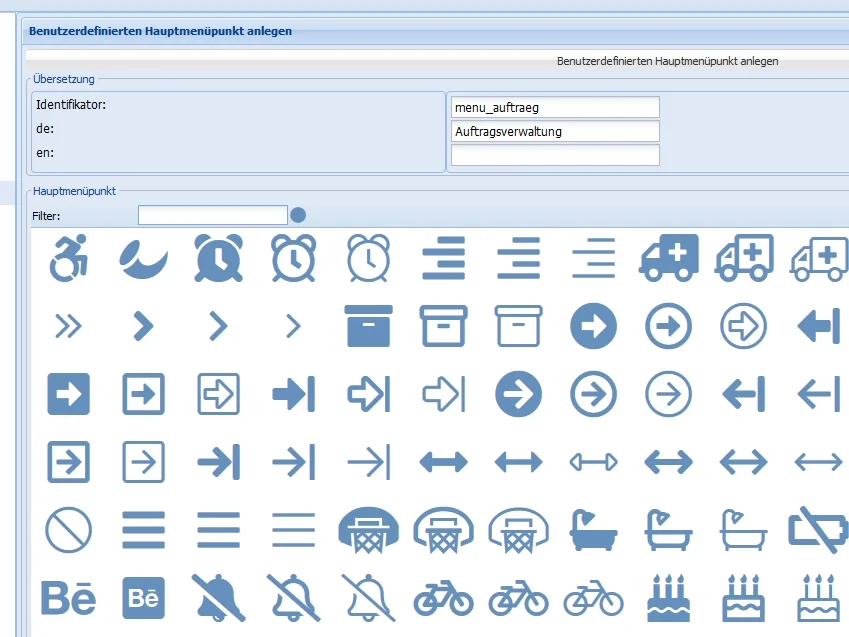 Tip: you can also view these icons at full size, and filter them by category as well, on the page https://fontawesome.com/icons?d=gallery. You can use all the icons listed there in infra-struktur. Including those marked as “Pro”.
Settings
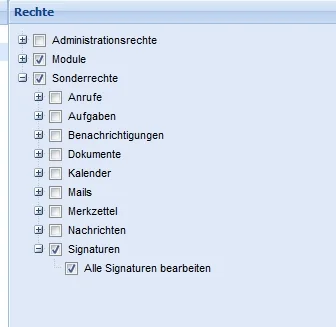
- Under the settings, you will now also find the item “Signaturen” (signatures) (for all users). With the corresponding special right set (see below), you also have the switch “alle Signaturen” (all signatures) there, with which you can view and edit ALL signatures in the system.
Permissions
- In the rights, besides the administration rights and the rights for modules, there is now also the special rights area. The rights listed there for the classic modules only take effect with the release of the new modules and allow filter options to be restricted. Under signatures, you can define that a user can edit all signatures.
Call lists
- When a new location was created while setting up the extensions, the location configuration then always had to be opened once and saved for the new location. Otherwise, call entries were not possible. This is now done automatically when the new location is created.