
For users
We are starting the new year with a comprehensive update. Of course, the new update focuses on our newest baby, the infra-struktur app. Thanks to your feedback, lots and lots of improvements and small bug fixes have gone into it.
But a few things have also been extended and improved in the classic version.
You can find all the details here:
General
- The function has been in for a few weeks, but we would like to point it out again here. We have optimised everything under Help once more, and the new help page takes you to all the important areas you might need for your daily work. Help videos, manuals, recorded webinars and much more.
- On the login page we now keep you informed about new features, webinar dates and much more. Next time you log in, just pause there for a moment and see what’s new.
infra-struktur app
- The login has been revised and improved.
- We have rethought the entire menu navigation of the app. After 2 years of organic development, we were able to make this area much tidier. You can also now choose in the settings which functions you put in the four corners. Fans of one-handed use can, for example, place the information they use most at the bottom right.
- You can now find the settings in the menu, and we have given them their own area with different topics.
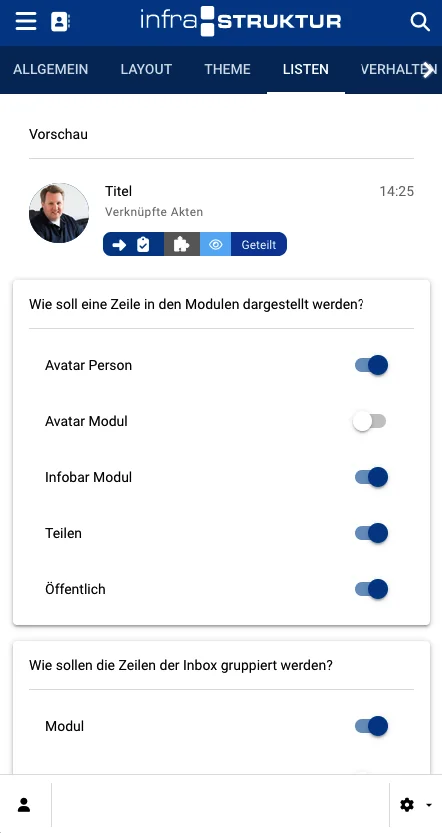 From general settings to the layout and various colour themes to the display of list elements, you can set the settings that are best for you here.
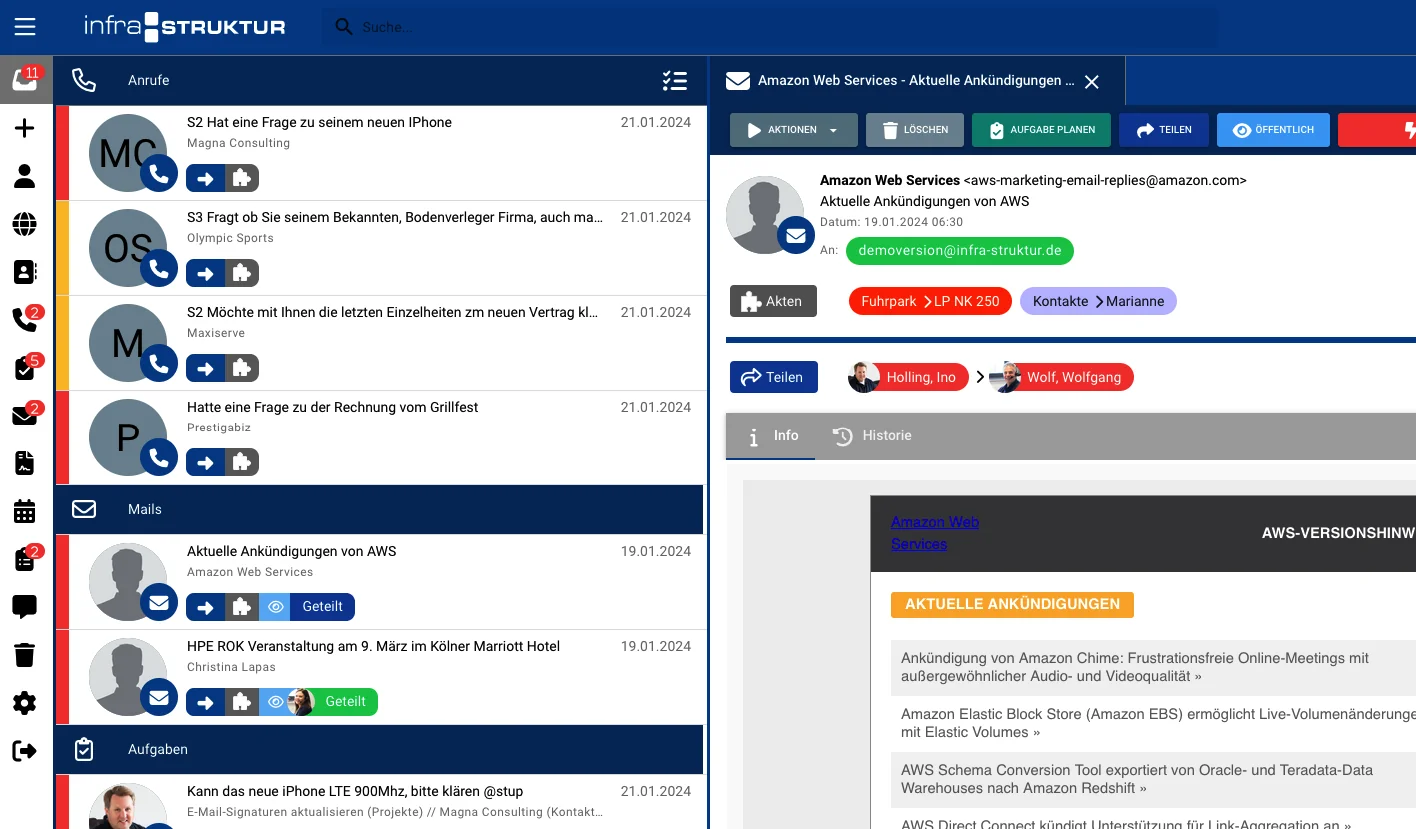
- For use at higher resolutions, for example on a tablet, there is now also the panel navigation familiar from the “big” infra-struktur. The list always stays open and, for example, a mail opens on the right.
- A new element for quick access is the online list of users, which can now be opened directly from anywhere. Can be set, of course, in the settings under “Layout”
- Also new is the option to set the order of the menu individually in the menu settings. Do you work a lot with tasks? Then why not move the menu item right to the front?
- The app now also sends notifications for the alarms set in an appointment, to remind you of appointments right away.
- On iOS you can now choose your own app icon from a selection.
- With this version we were able to fix lots of small bugs. For example, the mail list no longer loaded after certain filters. Mails were sometimes slightly distorted in the view when many mails were quoted in them. On Android, attachments were sometimes not saved in the Documents folder when downloaded. There were various fixes to the display, where sometimes the whole screen area was not used.
Document management
- You can now have the administrator set a default storage location, to which the app, for example, then uploads documents.
E-mails
- In certain cases, the auto-delegate rules did not apply. This has been fixed.
- E-mails with ics files attached are shown in infra-struktur with a preview of the appointment. Certain ics files from a medium-sized software manufacturer from Redmond changed the way the time zone is used, so the preview sometimes showed the wrong times. We have adjusted this.
- For a similar reason, it was sometimes not possible to accept meeting invitations. We have adjusted that too.
- More of a note: it was reported that attachments with umlauts, downloaded to the computer as a zip file with “alle herunterladen” (download all), were sometimes not displayed. The problem turned out to be a bug in the built-in Windows 11 unzipping program. Unfortunately we cannot program around that, but we recommend using the free unzipping tool 7-zip
Home
- Grouping the home page by delegation sometimes caused the interface to crash. This no longer happens.
For administrators
A few things were also done in the technical background
Interfaces
- The call HTTP interface can now also pass on the direction of a call. This means connections for directly entered outgoing calls can now also be implemented. This is already used, for example, in a new Starface module that also records outgoing calls that were not started via infra-struktur.
Document management
- In the administration you can now assign a default storage location to users. If you have access to several document storage locations, you can, for example, set which location the app uploads documents to.