
For users
With this update, we once again have lots of new features, improvements and bug fixes for you.
The most important thing is surely what you noticed first: the redesign of the login page. Why is it important? The login page is the gateway to your data and protects your entire system. Besides the visual changes, we have also done a lot more for security here. We would also like to recommend once again that you use two-factor authentication.
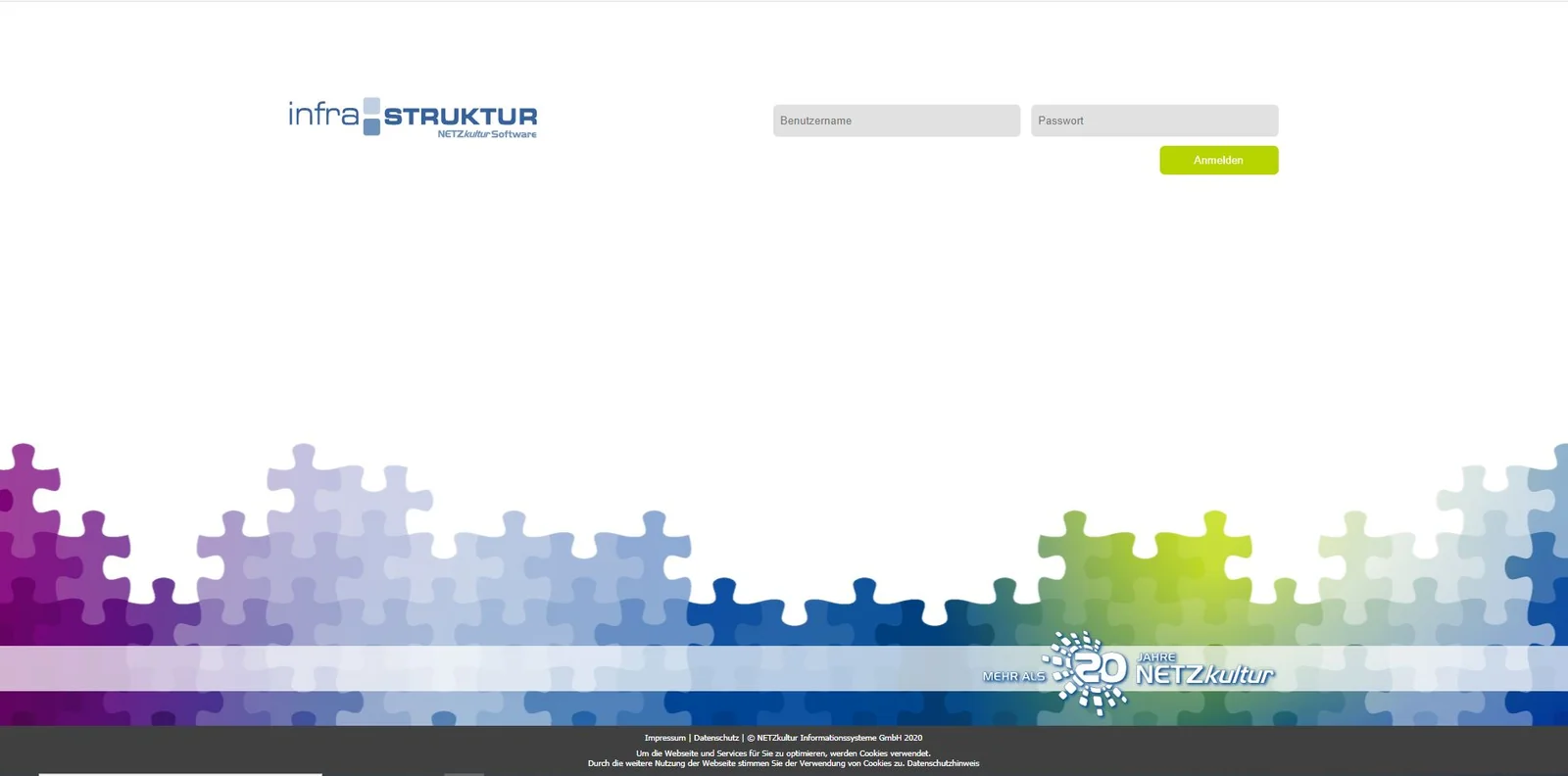
It’s not only the login page that has a fresher look and feel: across the whole system we have extended the flat design, which is easy on the eyes. You will probably notice this first in the icons.
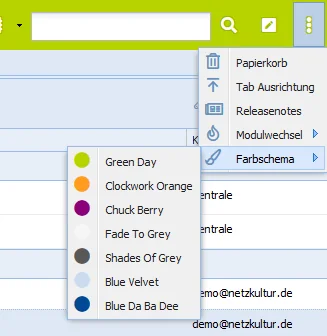
The selectable colour schemes have also been revised and “Chuck Berry” has been added.
Further highlights are delegating by drag and drop with the mouse, and also that ready-linked messages, notes and more can be created directly from within a record.
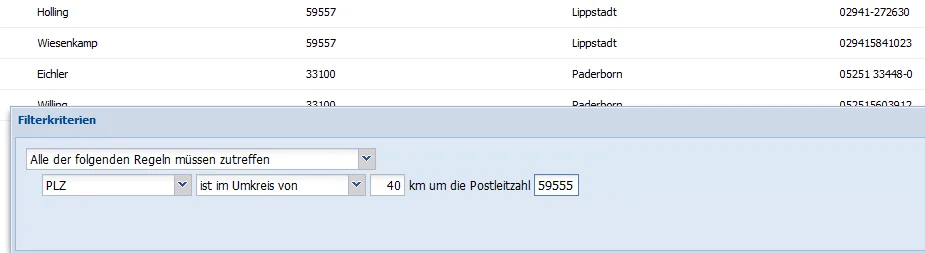
There is also a new treat in the lists of the digital records. You can now also use postcode fields for a radius search. If you use the geo map, you can then view the result on the map straight away.
For those who like to know exactly, here are all the changes in detail.
General
- Until now, the visibility of an e-mail, a document and so on could only be switched on or off by the original owner of the information. Sometimes, however, it is only the user it was delegated to who classes an item of information as sensitive. That is why the recipients of a delegation can now also set the information to visible or invisible.
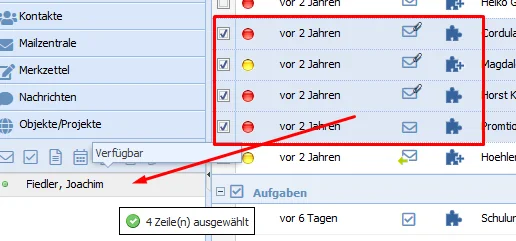
- You can now also delegate items in a flash by drag and drop via the online list, even in bulk. Want to quickly delegate 10 e-mails to a colleague? Simply select them and drag them onto the user in the online list!!
- Sometimes the total number of items on the home page was not shown correctly. That is right again.
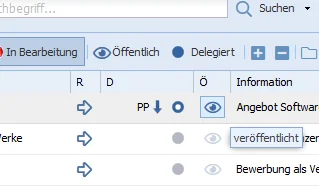
- Sometimes it’s the small savings in clicks that help a lot. So in the puzzle button, after you have linked something with Enter, the focus goes back to the search field, so that you can link many records one after the other without stopping.
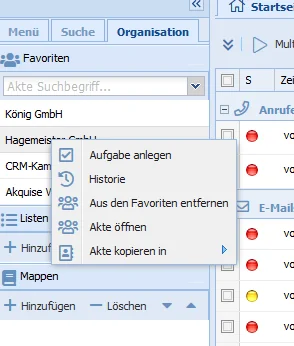
- Your data record favourites in the organisation menu now also let you open the history or create tasks for them directly in the context menu.
- The processing of PDF previews has been updated and improved across the whole system.
- You can now also filter home page information “negatively”. For example, if you filter for “Meier Karl”, you are shown all information that contains both “Meier” and “Karl”. With the new option, you can now filter for “Meier -Karl” (Meier [minus]Karl) and you are shown all information that contains ONLY “Meier” but NOT “Karl”.
Digital records
- Create everything from a record, linked straight away!!
We have extended the digital records with more ways to create directly linked information. So you can create calls, tasks, notes, messages and record notes directly, without then having to assign them manually.

- You can now restrict your list to a particular radius. To do this, select the postcode field in the filter window and then “ist im Umkreis von” (is within a radius of) as the filter. Your admin must have set up the postcode field once for this. The calculation is based on the centre point of the postcode area.
- In one particular permission set-up, not all attachments were visible in the attachments tab.
- The free-text fields of the digital records can now be exported separately as a “Hinweis- und Archivexport” (note and archive export). Why separately? Because of line breaks and special characters, free texts can sometimes have a negative effect on the “csv” format. If you need both in one file, you can bring them back together in your office program with a VLOOKUP using the data record ID.
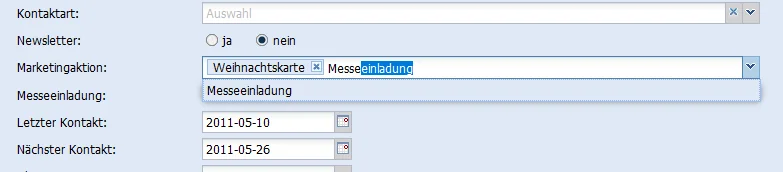
- Do your records have multiple-choice fields with lots of values? Now have your admin switch them to a so-called “tag field”. The selected values are then shown compactly, and you can select further values via a search. Sounds complicated, but it is as simple as the “Marketingaktion” (marketing campaign) field in the following screenshot.
- The attachments tab no longer shows the attachments from the recycle bin.
- The list view of the geo map had no entries. It is nicely filled again.
- The export sometimes had no effect if a filter had been used beforehand. That always works now.
- If you export several filtered views one after the other, the file name now also includes the record type and the current date.
- The calculate function in the lists has been improved in how it handles leading zeros and decimal separators.
- With “Akte kopieren” (copy record), fields formatted with a particular type (phone, e-mail and so on) were not copied. Works now.
- Phone and mail fields are sometimes recognised automatically by their label. Formatting over them now prevents this.
- When you copied a record, everything that could be assigned automatically used to be linked to it IMMEDIATELY. In practice, though, you usually only want automated links after making an adjustment. So automatic assignment now only takes place after a change has been made in the record for the first time.
Mail centre
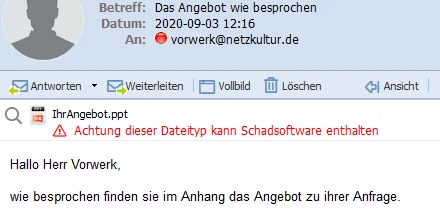
- Security is a big issue, especially with e-mails. There are file types that can also cause damage on your computer with so-called “macros”. From now on, we warn you about these file types. If you see this warning, check very carefully whether the e-mail comes from a trustworthy sender before you open the attachment.
- The display of e-mails has been improved in various places.
- E-mails are now also made visible when you link them afterwards. Fewer clicks for you. This also applies to linking by drag and drop onto favourites.
- Do you have a spam problem? From now on, you can also mark many e-mails as spam at once with the right-click menu in the mail centre. If you want to get rid of spam for good, we can also help with our e-mail hosting. Advanced spam detection is always included. Talk to us!!!
- There really are appointment invitations without an end date (!?!) We were surprised too… and we have rebuilt things so that they no longer cause problems.
- We have stopped you from sending to e-mail addresses with an umlaut in the prefix in even more places. Such addresses must not exist!!
Documents
- From now on, documents are no longer sorted by their original date, but by the date of the newest version.
Calendar
- In the iCal subscription, untimed appointments are now also delivered if you have selected only active appointments. That way you also have birthdays, holidays and so on on your phone without being an active participant.
- If you get your appointments on your phone with the iCal subscription, the location you entered is now transferred too.
Call organisation
- In the statistics, the projection for the year has been revised once again.
…..and finally. Whoever has read this far and gets in touch first will receive one of the popular infra-struktur mugs from us. Simply send an e-mail with the subject “Tasse” to support@netzkultur.de. UPDATE: after so many responses, we simply gave away all the mugs. Unfortunately, we are now out of stock.
For administrators
For administrators, we have a few things that are needed to use new functions.
Here, for example, is the new so-called IDO mapper.
Here is the necessary information in detail.
IDO mapper
- in future, the IDO mapper is meant to make categorising fields in the digital records easier. Here you can give the fields a particular property. The template for properties is the categories that also exist in vcf files. As a first step, the postcode radius search needs the setting for the postcode field it refers to.
- before you can configure anything, you must give the administrator the right to the “IDO-Mapper” menu item.
- now you can open the IDO mapper and, at the top, select an IDO instance in which you want to set up the postcode field. For the postcode field, select the value “postalCode” and “work”. From now on, the option “ist im Umkreis von” (is within a radius of) is offered when filtering the postcode field.
IDO administration
- when deleting single-choice fields, the confirmation prompt sometimes named the wrong field. That was veeery unsettling but not a problem, as the right field was deleted. From now on, the prompt is correct again too.