
For users
Follow-up update (12/04/2019)
Thanks to your feedback, today we were able to quickly add 2 more functions to the new documents tab of the digital records.
- by default, the filters are now always set so that they load all documents of a record straight away.
- there is now a
 button for uploading a document directly to the digital record.
This update brings a lot once again. Behind the scenes, quite a bit has been done for performance and stability.
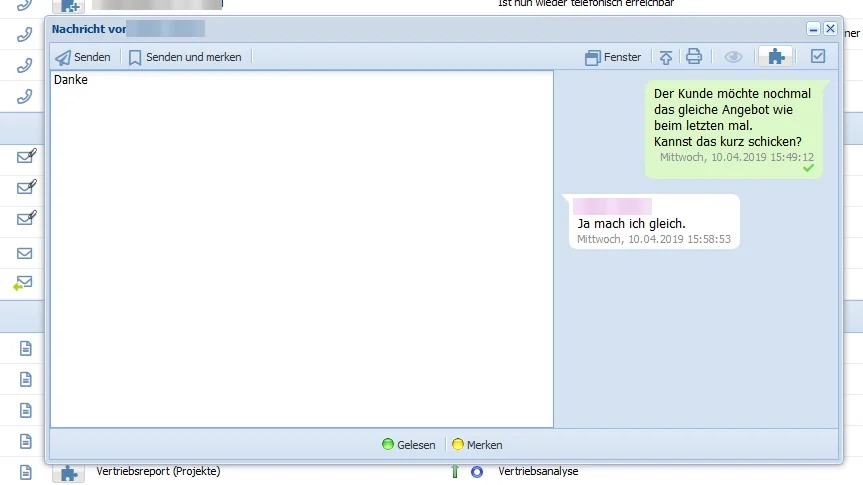
The message window in the message module
The message window is completely new. It is much faster than the previous one and can now be either a window inside infra-struktur or an external browser window (as before). If you opt for the external browser window, you can preset this in general on the home page under “Einstellungen” (settings) or switch it individually for each message directly in the message window.
You now always see the communication history while you write your reply.
New tabs in digital records
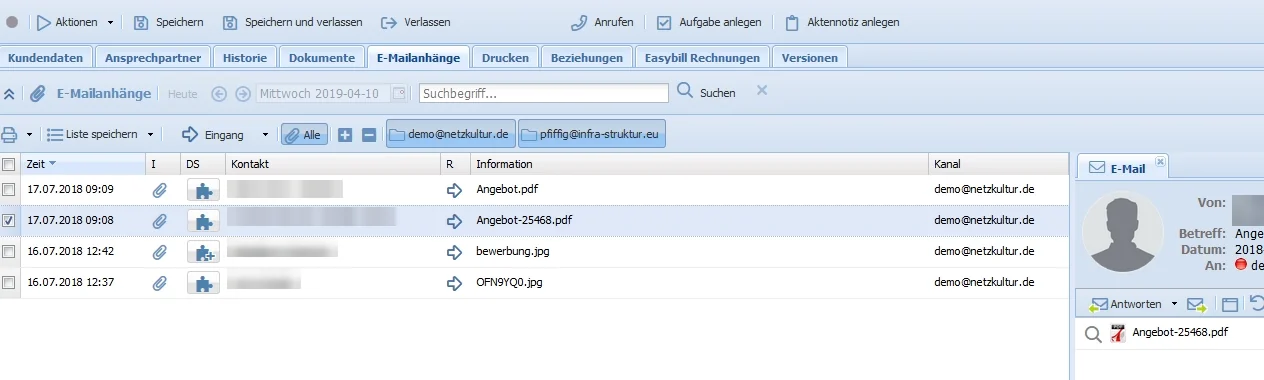
You will now find two brand-new tabs in the records: Dokumente (documents) and E-Mailanhänge (e-mail attachments).
We have separated these two areas, which were previously found on one tab, so that you can find the documents or files you are looking for even faster and more easily.
So in the e-mail attachments you can filter/search for the attachment you want, and with one click the related e-mail opens directly in the side panel.
Planned activities are now called record notes
Planned activities have also been given a new window and are now called record notes. We want to bring their actual purpose back to the fore: quick notes on all kinds of records.
Telegram as a new notification channel
And anyone who likes to be notified about calls, messages and so on wherever they are will be glad to use the new connection to the “Telegram” messenger for this.

You will find it as a new output channel in the notification settings.
This update is also the final step with which we have managed to switch all infra-struktur users to the new modules in just a few months. We are delighted with so much positive feedback.
Many are already working with the new record lists. If you don’t have them yet and don’t want to wait any longer, simply send an e-mail to support@netzkultur.de. You will also find detailed information about them here.
As always, you will find everything else this update brings in detail here:
Home
- The home page has a fairly high limit on how many items it may contain. From now on, when this limit is exceeded, only the newest items are shown rather than the oldest.
Record list (new)
- Totalling columns has been made a little less sensitive to certain number formats.
Organisation
- You searched for something and saved the result as a list. From now on, after opening the list you can simply extend the search and don’t have to enter the terms again first.
Mail centre
- When spam rules were created manually based on the sender’s top-level domain (e.g. “com”), it was not taken into account. This has been fixed.
Calendar
- Some of you noticed how much the last clock change annoyed us. Besides a few hotfixes that have already been rolled out, this update brings further improvements.
- If you tend to move an appointment by mistake with the “drag and drop” function, you can now deactivate this in the calendar settings. This only affects existing appointments. When creating appointments, you can still simply drag with the mouse.
For administrators
Mail centre
- In the matrices for setting full access and publishing, you can now filter the matrix by various criteria. This lets you show, for example, only active mailboxes or users.
- The connection test for the SMTP server has been improved.
Document management
- In the matrices for setting access to filing locations and publishing, you can now filter the matrix by various criteria. Similar to e-mails.
Menu management
- New main menu items can be created again.
Permissions
- Permissions can now be exported in csv format.