
For users
Maintenance, performance and improvements (13.06.2016)
– Performance and stability improvements
Maintenance, performance and improvements (06.06.2016)
– Some search results in the mail search could be incomplete. This update fixes the problem. The search index then only needs to be rebuilt over a few days. After that, everything should be found cleanly again.
– Sending to domains with umlauts works again.
– A bug when deleting globalised mails has been fixed
– Problems sometimes occurred when sending mails that were larger than your mail server allows. These problems are now detected better.
– Uploading versions of a document has been improved once more.
Maintenance, performance and improvements (12.05.2016)
– If you use the statistics module, you now also see the correct values for storage space.
– In the calendar, a wrong date can no longer be used by mistake when creating recurrences.
– Problems with document versions have been fixed.
– Lots of small improvements for the infraSync beta version
– Lots of other small bug fixes
This update brings a number of small improvements and new functions. Among other things, we have given the search in the DS button more intelligence and also built a DS button into the mail compose window.
You will find all the details listed here.
General
– The search in the DS button no longer simply outputs the records in the order they were found, but uses a points system to show the records with the highest relevance at the top. For example, it distinguishes whether a search term was found in part of a word or as a whole word. So in a search for “Netz”, the hit “Netzkultur” is ranked higher than the hit in “Vernetzung”. The number of links in a record is also taken into account when assessing relevance. In our own test operation, the concept has proved extremely valuable. Pay attention to it next time you search.
– Overall, we have tweaked the performance in a few places once again.
Mail centre
– In the compose window you will now find a DS button with which you can set additional links before sending. Important: this DS button does not affect the automatic links that have always been made, but only creates additional links. This means you can now also very quickly link the project, the order or the vehicle concerned.
– Users whose names contain an acute accent can now also enter them as their so-called “real name” in their profile, to personalise their outgoing mails.
– If you used a template when replying to a mail, this cleared the recipient. The recipient is now kept.
– You want to forward a mail with an attachment and use a template for it? Go ahead. The attachment is no longer lost here.
– You can now also use apostrophes in the names of templates.
Call list
– For statistics fans, we have visually revised the call statistics and built a blacklist function into the top 20 callers to hide statistically irrelevant entries permanently.
– The mobile prefix 0152 was not previously recognised as a mobile number. Now it is!
– After faxes were deleted, “ghost entries” remained in the linked records. Not any more.
– If you have ever received a fax from a sender with the number 0000000000, you know the chaos this caused with automatic linking. That no longer happens.
– The recognition of phone numbers has been improved once more.
Document management
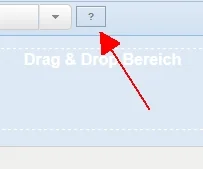
– The “drag & drop” area has been visually adjusted and widened, so it is even easier to use, even without fine motor skills.
– If you were in the global storage location and then uploaded a document via “drag & drop”, you uploaded it into nirvana. That no longer happens.
– In the red/yellow tab, too, you can once again keep globalising your documents busily.
– For a versioned document, you can now also delete version 1.0.
IDO (records)
– The selectors for single-selection fields in the table view were previously shown heavily abbreviated to save space. As 15-inch monitors are quite rare nowadays, there is enough space, and we no longer save it here. Everything should now be easy to read and select. A small tip!! Wondering where you can select what? Watch this short how-to video: infra-struktur how-to video
Tasks
– Creating a series of tasks with one click has always been possible. Now they can also be changed or even deleted with one click.
– You delegated a task and it was completed, but it was still shown among your open tasks. The bug has been found and fixed.
/mobile
– The login problems that could only be solved by clearing the browser data have now been fixed.
infraSync (beta version. Not yet available in all installations)
– If an e-mail address was not an e-mail address, the entire record was simply not transferred. We have become a little more lenient here.
– More work has been done on performance and stability.
For administrators
General
– For administrators, a somewhat more technical explanation of the performance gains: by moving large data specifically to our flexible storage service, we were able to reduce the database size massively once again, eliminating further bottlenecks that could lead to longer queries. This particularly affects opening records and opening the outboxes.
– Until now, whenever a user was created, every virtual group also had to be created again so that it was available. The problem has been fixed.
Call list
– The http interface for entering calls has been extended. Faxes can now also be passed on here. The module also now returns helpful return codes or, if successful, the ID of a call. In addition, a reason can now be passed directly into the call. The parameters can be passed either via POST or via GET. The previous version of course remains available and active. You will find more information on the new version here https://adminwiki210.infra-struktur.de/index.php?title=Anruf_HTTP_GET_Schnittstelle