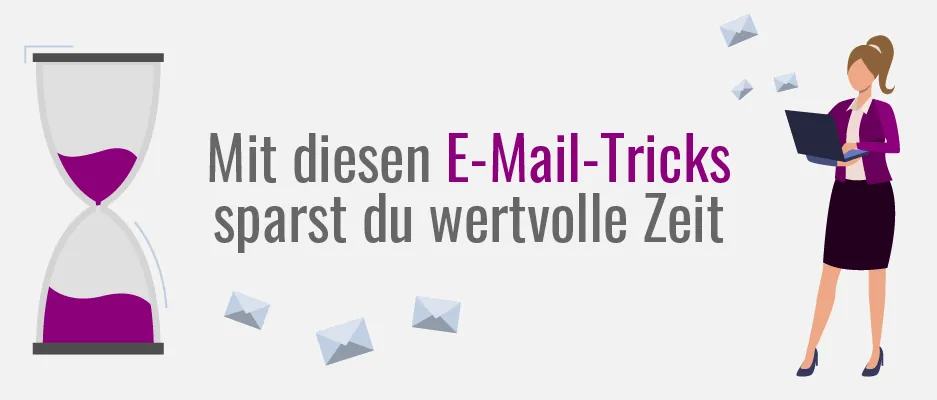
Save time with these e-mail tricks
An e-mail here, an e-mail there, and suddenly your time at the office is already over. Tips and tricks for finally handling e-mails productively.
E-mails have long been the most widely used option for daily communication in the office. Among other things, documents, quotes and contracts can be sent this way without delay.
As practical and time-saving as e-mails may seem, they can also turn into time wasters. To make sure this does not happen to you, you should know and use our tricks.
Why are e-mails among the biggest time wasters in the office?
You are sitting at your desk, concentrating on your project. The Excel list needs updating, and once you have entered the data, you still want to create the statistics as a chart. Suddenly a window pops up on your screen telling you that a new e-mail has arrived in your inbox.
Your curiosity takes you straight to the e-mail to check who has just written to you. Once you are in your inbox, you read the e-mail straight away and decide to reply later. As harmless as this may seem, this action has cost you valuable time!
Even if you only needed a minute to take a quick look and immediately pick up your work in the office where you left off, your concentration has already been interrupted. It takes you up to 20 minutes to pick up the thread again.
Does this situation sound familiar? It surely happens several times a day, and you may not even be aware of it. But there are some tricks you can use to organise your e-mails. And without wasting a lot of time.
E-mail hack no. 1: tidiness for productive work in the office
The inbox of your e-mail address is like your office or your living room: it needs tidying up. Otherwise your inbox, like your desk, fills up with documents. Then, when you are looking for something specific, you cannot find it again quickly. That costs you valuable time.
Time to tidy up! All documents must be organised and classified. It does not matter whether it is paper or digital correspondence. Documents should be filed neatly or saved in the appropriate digital records.
All documents organised with infra-struktur
E-mail hack no. 2: fixed time blocks
E-mails do not have to be read and dealt with immediately. Is a customer in a hurry? No, otherwise they would pick up the phone and call directly! Take this tip to heart so that you are not tempted to keep checking your inbox.
If possible, correspondence should be dealt with once or twice a day. This applies to reading as well as to replying to and archiving e-mails.
Organise your working time so that you do the most important tasks first, right at the start of your working day. This tip is particularly important. Because early in the morning your thoughts are still fresh, and concentration works better at the start of the day.
Set yourself fixed time blocks during the day in which you want to deal with your e-mails. How long they are depends on your usual correspondence or workload. You should take this into account directly in your daily plan.
During this time, you should read and deal with all open e-mails so that you do not have to “touch” them again. The aim of this habit is to avoid constant interruptions while still doing the work conscientiously and promptly.
E-mail hack no. 3: more order with the batch method
If you are already dealing with your e-mails, you should do it properly. In other words, in a way that means you do not keep having to start from scratch. When dealing with them, you should know what functions e-mails have and how you need to handle them.
Reply:
This e-mail requires a reply from you. Do it immediately, but keep it as short as possible and word it clearly to avoid follow-up questions right away.
Appointment:
An appointment has to be confirmed and entered in your calendar.
Information:
You receive this e-mail only as information, which you need to process with the corresponding data record.
Tasks:
Action is required from you here. Create a task straight from the e-mail and plan right away when you will do it. If the task relates to a project or customer, it is of course linked directly to the matching digital record (with the puzzle piece).
Delegate:
Some e-mails are also, or only, important for your colleagues. Instead of forwarding the e-mail, why not simply delegate it? That saves you all the endless ping-pong of never-ending forwards.
E-mail hack no. 4: eliminate sources of disruption
An important tip is to switch off pop-ups so that a notification does not appear on your screen every time a new e-mail comes in. This automatically removes unnecessary distractions.
Instead, you can create time slots that inform you about your upcoming tasks. If you organise your work according to a schedule, you increase your concentration and effectiveness!
E-mail hack no. 5: reply or call?
When you want to reply to an e-mail, first ask yourself: “Can you write the reply in three sentences?” If your answer is “no”, pick up the phone straight away. Do not waste valuable minutes writing long texts. E-mails are not meant for longer conversations. Instead, they are for exchanging important information and various documents.