
For users
Summer special update 2.10.70.61 (15 August 2025)
With this update we are releasing two small but frequently requested functions.
Sharing documents externally
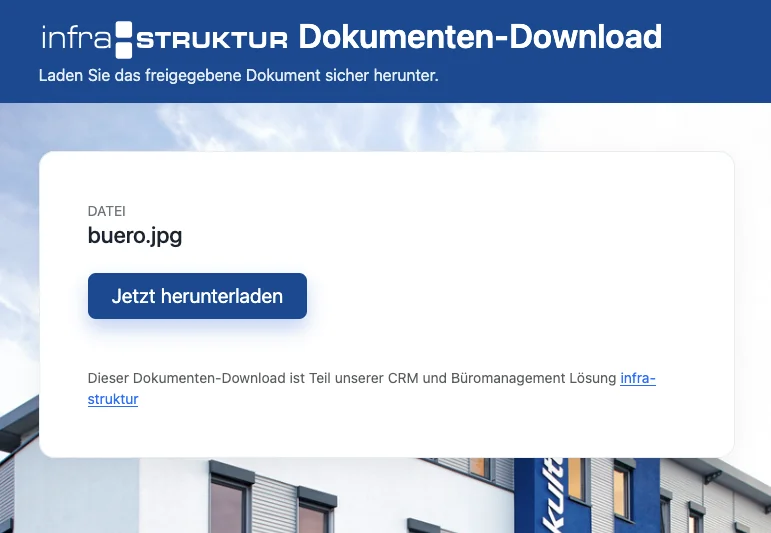
From now on, you can share any document with external contacts via a link.
This also lets you version documents that have already been shared again, limit them in time or protect them with a password.
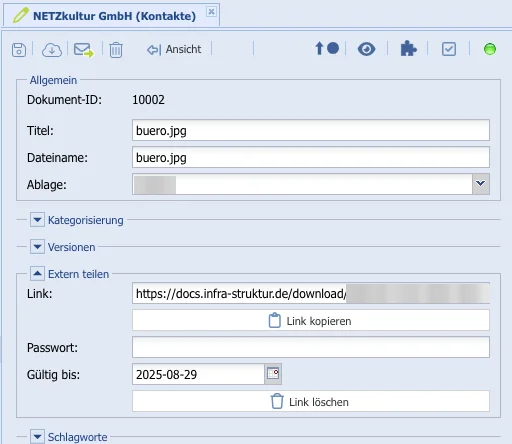
The generated link is secured by a so-called UUID – you have to know it, but it cannot be guessed.
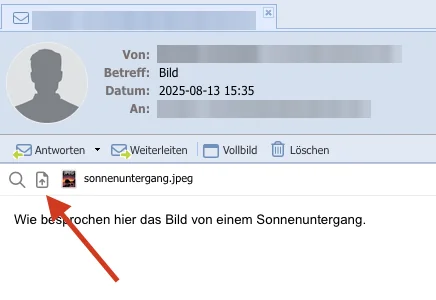
Adding attachments to document management with just one click.
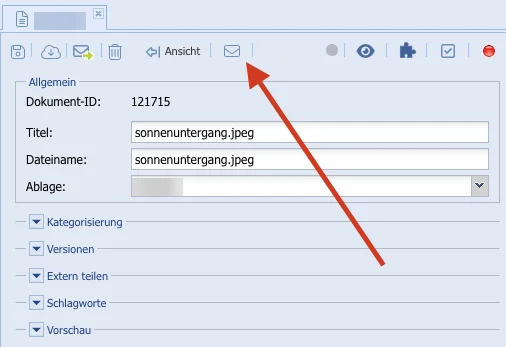
A small, inconspicuous button makes it possible, and you can now save any attachment directly to the DMS as a document. Important: this does not create any extra data, because the document is still the attachment. I can even jump from the document back to the original mail via the e-mail symbol.
Just in time for spring, there is another update of infra-struktur. As always, you get the release notes here and can see whether there is something for you. This time the highlights are various external integrations and the first AI modules, such as for NETZkultur cloud telephony.
The app and the new web version are also getting an update. To keep everything compatible, it will only be in the stores next week, and then with its own release notes.
Here are all the details:
General
- Reloading/refreshing the home page was sometimes a little delayed. We have made further improvements here so that working on the home page feels better.
- Speech2Text module based on AI for NETZkultur cloud telephony. This lets all audio recordings left by customers be converted into text and written directly into the call. The audio recording can also be played back via a small player in the call panel. If you do not use NETZkultur cloud telephony, you now also have the interfaces available to write texts into the call automatically. This then just needs to be programmed by the person who looks after your phone system.
Digital records
- For some users, exporting the digital records caused a problem due to certain formatting in the fields. This has been fixed and works again from now on.
- Every programmer spends 422 hours of their life solving umlaut problems. The number is completely made up but probably comes close to reality. A few places have been reworked again in this release too. The contact columns in the histories, for example.
Call list
- Users who work with Sipgate can now also have the call entered in the call list right when dialling out. Sounds trivial at first, but it is a real game changer because it means I can always see who is calling where at the moment. Until now, the call was only ever entered when it was saved after the conversation. Contact your administrator to have this set up. It is very quick.
Calendar
- There was a confusing display problem in the settings for blocked users. This has been untangled and everything is exactly as it looks.
- The handling of all-day appointments has been changed slightly. Until now, it could happen that they were shown on the wrong day in external calendars via the iCal subscription.
Mail centre
- Mail retrieval, especially when a very large number of mails suddenly come in, has been decisively optimised again and is now 10 times faster than before in that situation. You won’t notice it, but we wanted to at least mention it.
- M365 users get improved error messages, for example when a mail was not sent.
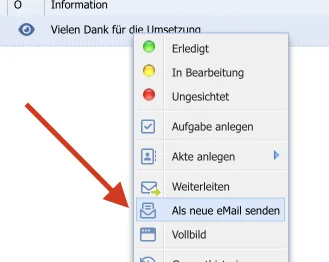
- E-mails that had an error when sending can now be sent again with a right-click. In fact, this even works with any mail, so you could also use it, for example, to send similar mails again and again.
For administrators
Administration
- In the DMS administration, the sorting of users has been switched to alphabetical in a few more places. This makes things much easier.
- To also enter outgoing calls with Sipgate, administrators just need to log in to sipgate, go to the settings for sipgate.io and save the URL from the “eingehend” (incoming) field in “ausgehend” (outgoing) too. That’s it. The URL looks something like this: https://demo-classic.infra-struktur.eu/api/calllist/sipgate.php
- From now on, the Microsoft365 accounts of a tenant can also be connected in one go by an admin.