
The app is getting an update again too, with lots of improvements and bug fixes.
PLEASE NOTE: The new version of the app also needs a matching update of the “big” infra-struktur. The update will be rolled out from Monday to Wednesday. If you get the app update before the update of infra-struktur, the app will not work.
To bridge the short time until the update, you can use the web app on your smartphone at https://infra-struktur.app
By Wednesday morning at the latest you will have the right infra-struktur version for the latest app.
Particular highlights are surely that the record favourites and even external menu entries from the “classic” version can now be opened in the app.
You will find this and all the other new features in detail here.
General
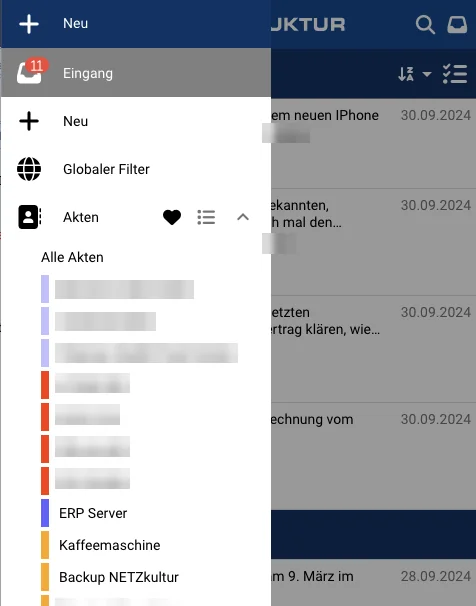
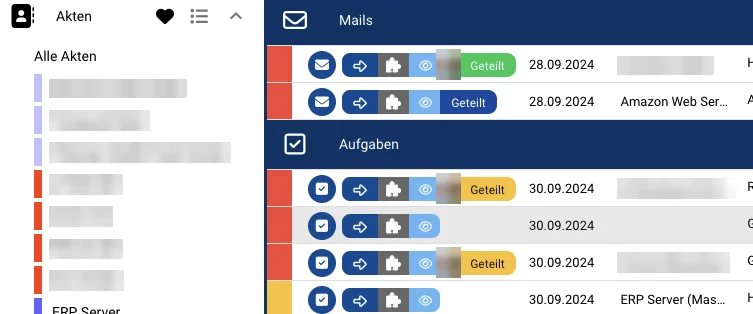
- In the menu, under records, you now also find the favourites as you know them from the classic version. In the high-resolution version you can even link information to them by “drag & drop”.
- Tasks, notes and file notes now also have formatting functions in the editor. So you can now use font colours and much more here too.
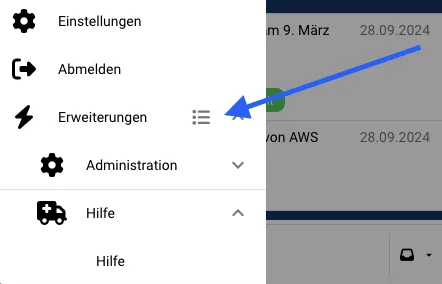
- External content can now also be opened, such as a link to a supplier’s shop or to custom programming, or to our help section, which is on our website. For this there is the new menu item “Erweiterungen” (extensions) at the bottom of the menu.
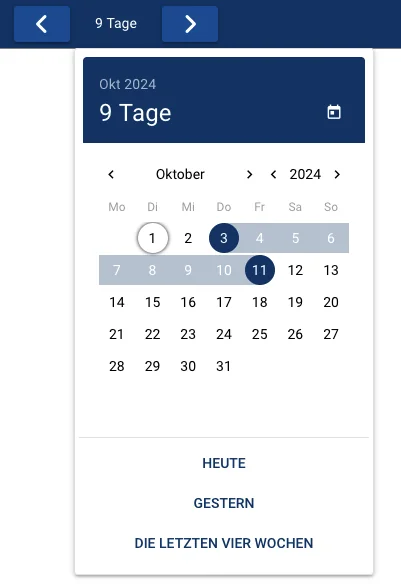
- Custom ranges can now be set in all filters. Besides today, yesterday and the last four weeks, I can now, for example, also select a period of just 9 days and click through in that rhythm with the arrows < >.
- There were lots of small adjustments to improve the look and usability, such as loading graphics where it makes sense, search filters no longer always being reset, and much more.
- In high resolution you can now also change the status by clicking its colour. Just as you know it from the classic version.
- By its nature, the app is used especially often when travelling. Different time zones can make everything a bit complicated. For this we have now built a switch for choosing the current time zone into the general settings.
- In the version for high resolutions you can also select several items from a list, for example mails, and delegate them to a user by drag&drop.
- In the browser version, the number of open red items is also shown at the top in the tab.
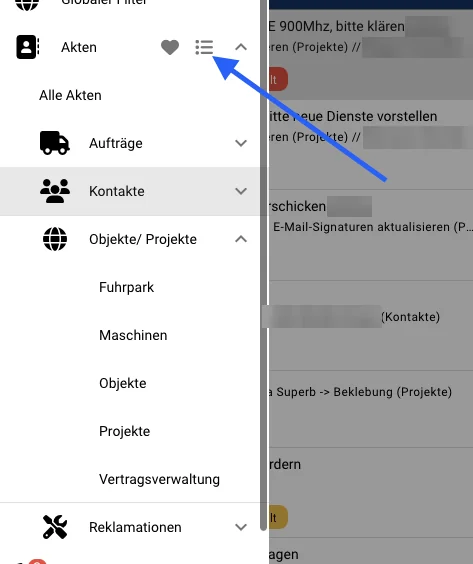
- Opening a record list directly from the menu has been built in two variants. Either I can display an alphabetical list of all record lists, for example: applicants, customers, projects, complaints, contracts, or I prefer the arrangement as set in the menu of the classic version, for example the list “Verträge” (contracts) under the menu item “Controlling”. You can switch between them with the list icon next to the heart icon.
E-mails
- There were problems inserting hyperlinks into e-mails. These have been fixed.
- Sent e-mails can also be replied to from the app.
- E-mails were sometimes displayed empty if they were replies. That works now.
- Mails sent via the app always remained saved as a draft as well. That no longer happens.
Settings
- In the settings -> lists area you can now also set that no avatars are used and how lists should be sorted.
Digital records
- There were occasional problems displaying records or record lists when a lot of visual formatting was used or field labels had been changed. We have improved this further.
Tasks
- Long titles can be scrolled in full
Calendar
- Appointment types that contain an alarm now also apply it.
- Various small optimisations in usability.