Get organised and work more efficiently
Want to get organised and work more efficiently? With our tips for a sensible organisation system, you will save more than just a lot of time and nerves.
Working more efficiently in a tidy office
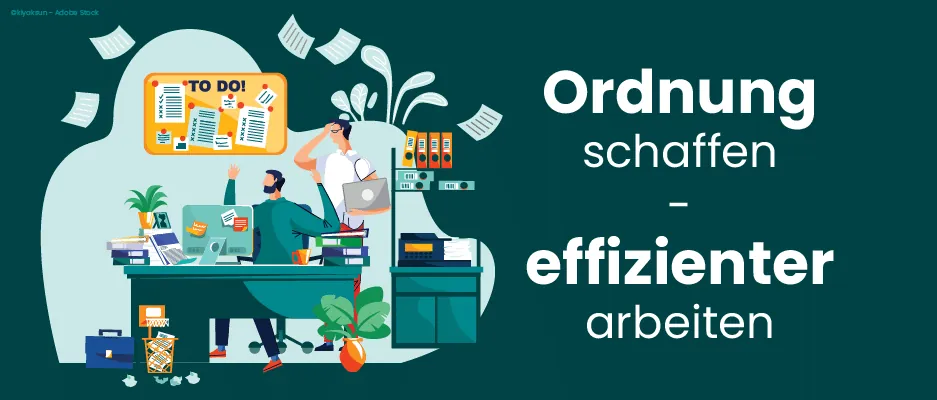
How embarrassing: the boss wants the list from the last meeting immediately and urgently, but the ever-willing employee can’t find it again. That may be down to a momentary lapse, but usually it is self-made chaos that means the documents only turn up again after a long search. A mishap like this has probably happened to everyone several times, and such situations are always followed by the resolution to be tidier in future.
The problem: order without a system
An untidy office creates problems. It costs time and energy, is inefficient, and the impression it makes on others is unpleasant too. Business partners and customers react with annoyance when your orders and projects are left lying around because an employee can’t find the information or documents needed. Yet nowadays it should be no problem to help the customer straight away – regardless, of course, of an “internal contact person” for that customer. After all, your customer is a customer of your company and not the customer of a particular employee. So here are a few tips on how the office can become clearer and more practical. Getting organised doesn’t have to be complicated – quite the opposite.
Order begins with fixed places and structures, with an organisation system in which certain things have their fixed place. And that is the only place where they are kept centrally: no duplicate filing, no wandering equipment and, above all, no decentralised (opens in a new tab) lack of transparency and no build-up of monopoly knowledge on every single desk or in colleagues’ heads.
This gradually creates a reliable system. Once the employee is used to it, every piece of information can be found again immediately without much thought. Only what is used every day is kept on the desk. The office cupboard holds the materials for weekly use. Everything else belongs in the archive or in a storage room shared by several employees. Of course, this also applies to all digital information. You have 157 unread e-mails in various inboxes that you want to look at and sort out at some point, together with handwritten call notes and tasks? Sounds more like “hope springs eternal”.
Keeping everything: the origin of chaos
Many of us simply find it hard to part with things. We think that things that were once useful might be needed again now and then in future. Will I find it faster when I need it? Probably not. Nevertheless, we keep every bit of odds and ends and wait for the day that never comes, when the lever arch file, advertising brochures or holiday postcards become interesting again. Over time, though, this method creates chaos, because the things are not used again but first clog up the cupboards and finally the entire office. A good measure if you want to make work harder for yourself and your colleagues than it needs to be.
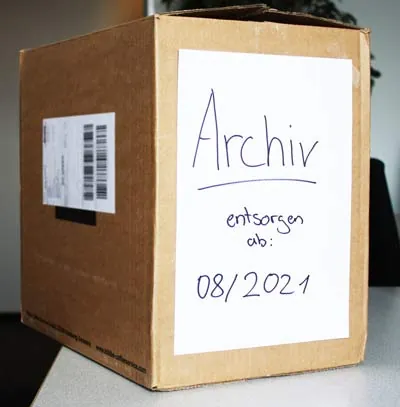
An ordinary cardboard box is the remedy for an unnecessarily full desk: simply put everything in it that hasn’t been used for years. Seal it well, write a date on it and, ideally, an expiry date on which the box goes out with the bulky waste if nobody has claimed it before then.
But what about your “digital desk”?
The only sensible structure for everyone to keep track in the long term is a chronologically traceable contact history, e.g. with your customer “Frank Beispiel GmbH”. You need the e-mail from 10 August and your colleague’s matching call notes on “Frank Beispiel GmbH” to be able to help your customer? With this contact history, the information you are looking for is at hand in a few seconds.
An organisation system for everyone
It is also very helpful to get organised by introducing a structured filing system that applies to all employees in the department – a kind of central information structure (opens in a new tab) as a common basis. A measure like this makes finding information enormously easier, especially because it is binding for everyone.
Digitise your incoming mail and link the documents to the customer, project, etc. … Topics that are coming up in future end up in the system as a follow-up or task, and not as a sticky note on your monitor or as a “reminder e-mail” in one of the many unnecessary inbox folders. You have finished working on the project? Mark it so that your colleagues also know the current state of affairs.
The so-called W questions help with structuring:
WHY is something filed and WHERE does it have to be?
HOW is the system organised, for example alphabetically or chronologically?
HOW LONG is it kept?
WHO should file it?
WHERE are general items kept centrally?
Organising the filing can also be teamwork. The whole department is then called upon to look for solutions together.
Electronic mail also tends towards chaos
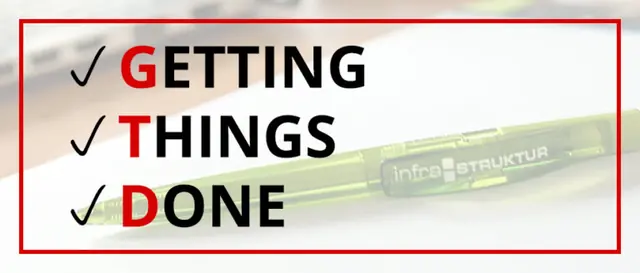
When you set up your computer for the first time, everything is still clear. You immediately know where which files are, because there aren’t too many yet. Over time, however, things get out of hand, and at some point you no longer have the faintest idea where this or that e-mail enquiry has gone. This also calls for an organisation system. Here, based on the GTD method:
First of all, it is advisable to check your e-mails only two or three times a day and to deal with them in one go. The following five points help you get organised:
- Whatever you can do immediately and in just two minutes is dealt with immediately.
- Whatever needs to be delegated, you pass on directly.
- Whatever needs to be archived, you can file straight away.
- If processing takes longer, the matter gets a date that is entered in your task list.
- Whatever is not needed, you move to a separate folder as a backup. Check weekly whether entries can be deleted.
Order means consistency
The problem with the systems mentioned: they only work if you are consistent. Getting organised is a constant task in the office too, and it is all too easy to be tempted to deviate from the fixed structure. Incidentally, this usually happens when things are going badly, whether at work or in private life. Crisis feeds crisis. That also applies to organisation systems.
With infra-struktur we make sure that this doesn’t happen to you so easily. For example, every e-mail and every call ends up automatically, and therefore without any manual effort, in the right contact history. So nothing can slip through the cracks, and you don’t forget to archive something to give your colleagues access. You don’t forget it because you don’t have to deal with it in the first place.