Spam and virus e-mails – how to tackle them
Spam and virus e-mails are not only particularly annoying but also tricky, because they increasingly appear well disguised.
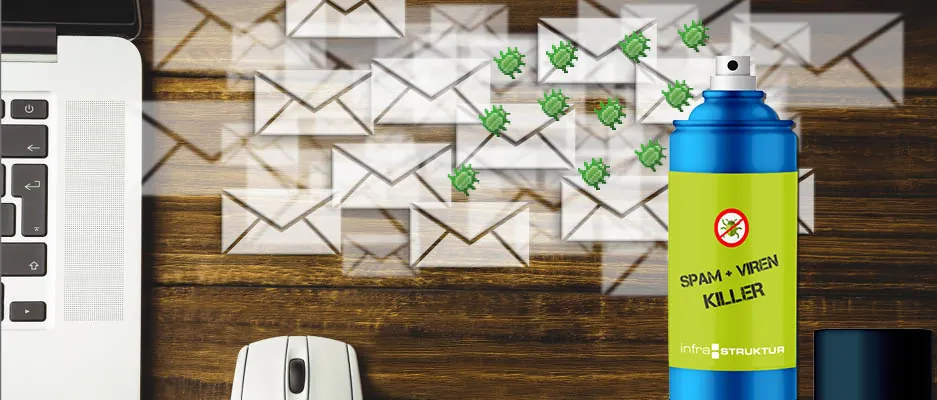
What can you do about the annoying danger of daily spam and virus e-mails?
The issue of spam and virus e-mails is not only particularly annoying but also tricky, because they appear more and more often and well disguised. With infra-struktur, we tackle this issue as follows:
Weapon no. 1 against spam and virus e-mails:
Activate the mail server’s spam filter
To filter out most spam e-mails, we recommend activating the spam filters directly on your mail server. These are the most effective, because they access public blacklists in order to “learn”. Your senders are compared with known spam and virus e-mail addresses. It is best to ask your mail provider how to activate the spam filter on the mail server.
How does the mail server’s spam filter work?
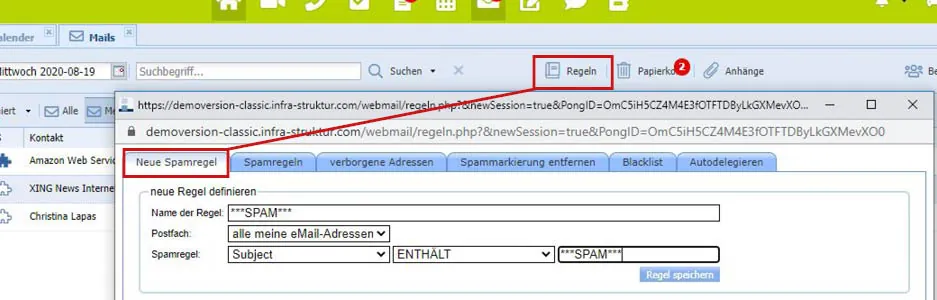
The mail server has its own set of rules that classifies incoming e-mails into spam levels. If an e-mail is classified as spam, it receives, for example, an additional marker in the subject line. Example: ***SPAM*** <original subject of the e-mail>. On the mail server, you can usually set the e-mails to be only marked but still arrive in your infra-struktur. Using the marker in the subject line, you could then filter these e-mails straight into the recycle bin in your infra-struktur. To do this, go to your mail centre and define a new spam rule.
Protect known e-mail sender addresses and put them on the whitelist
If an e-mail address is known to your infra-struktur, for example because it is stored in a contact person’s contact details, the sender is automatically put on the whitelist, because the system assumes that known contact details usually do not belong to spammers. In this case, the spam filters are bypassed and do not apply. The e-mail does not end up in the recycle bin. Conclusion: this function lets you filter out spam even more precisely.
Weapon no. 2 against spam and virus e-mails:
Activating the built-in spam beetle to filter spam e-mails
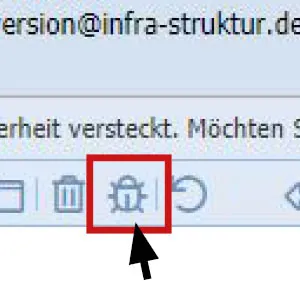
If a spam e-mail has “slipped through” the mail server’s spam filter after all and landed in your inbox, you can mark it manually with the spam beetle. The spam beetle filters out the e-mail you have selected and learns to block the sender in future. Unfortunately, this often helps only slightly, because really persistent spam uses changing addresses.
Weapon no. 3 against spam and virus e-mails:
The browser’s protective environment
Dangerous attachments are quarantined in the data centre
Compared with other e-mail clients, you take no risk with infra-struktur. With many other e-mail clients, the e-mail and all its attachments are downloaded directly to your computer when it is retrieved. This gives harmful attachments an open house, so to speak. With infra-struktur, the attachments stay in the data centre until you actually download them. You can read the text of the e-mail in advance without downloading the attachments and decide whether or not to “trust” the attachment. If you then classify the attachment as “trustworthy” and download it, the browser’s protective environment makes sure the attachment is scanned for viruses. Common browsers usually do this automatically.
Tip on harmful job application e-mails:
Virus e-mails in e-mail job applications
Cases of fake, harmful “job application e-mails” have been occurring more frequently for some months. They often contain viruses that are not yet detected by your antivirus protection. Some of the application e-mails are made so authentic that it is difficult to recognise them as spam. We recommend issuing a work instruction to your employees that sets out how to deal with virus application e-mails. Your employees should reply to the e-mail WITHOUT opening the attachment. Ask the sender to briefly confirm to you that the application documents were received. If it is a real applicant, they will reply. Spammers do not reply.
Do you have questions about spam and virus e-mails or about infra-struktur? Our service and support team will be happy to help. >>>