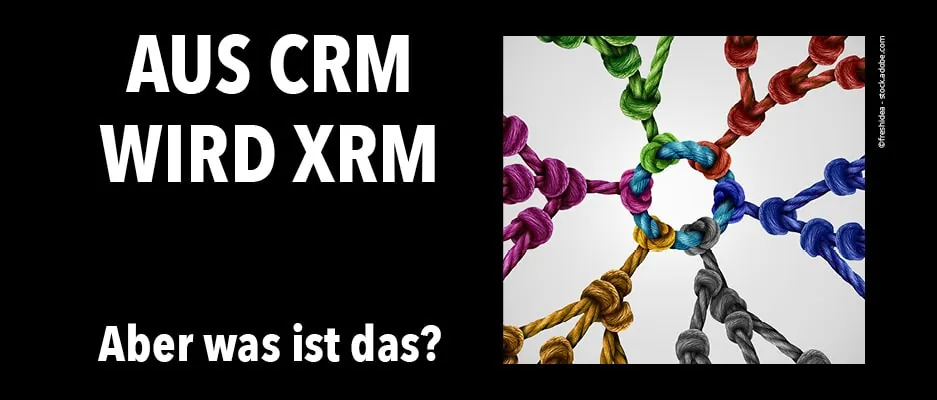
CRM becomes XRM – but what is that?
Everyone talks about CRM software but often means an XRM system – we explain what an XRM is all about and what it can do for you.
XRM is an advanced form of CRM
An XRM system is also called any-relationship management (or, less often, extended relationship management). Some say it is an advanced form of CRM, others claim XRM came first – sounds like the chicken and the egg … let’s leave it at that.
In recent years, the classic CRM model (customer relationship management) has changed. Companies no longer focus only on customer relationships or managing prospects. With an XRM system, the “lens” is meant to let in more light. The X stands for anything and everything you want to organise better in your company. This can be the management of dealers, suppliers, business contacts, complaints, projects, employees, vehicles, contracts, properties such as houses and much, much more.
What are the advantages of an XRM system?
An XRM system brings different topics in your company together. All departments are represented, e.g. purchasing, service, marketing and sales, administration etc. XRM software offers you the following advantages, among others:
You get one platform for all departments involved, i.e. your entire company, from which you can all manage all important relationships and data
You and your colleagues can keep track of everything from A to Z, because the XRM system creates transparency
The central system saves an enormous amount of time and money
Your company’s future viability is secured, because XRM systems are flexible
An XRM system drives digital transformation in the company
Networked and centralised platform
With an XRM system you can use all internal and external data to make important strategic decisions. You can manage all sales and customer processes efficiently via one platform. Important data, e.g. from a DMS (document management) and ERP (resource planning system), is integrated, with the XRM system always at the centre. This way, all employees can work with the same level of information.
Communication and relationships
With an XRM system you can ensure communication between different levels and build relationships with each other. You are planning a project with a customer that also involves other trades, departments or suppliers? You can easily map this with an XRM and link information (with the puzzle piece). This creates a suitable, chronological history for each contact that you can follow.
Such a system therefore also automatically increases networking within your company.
The nice thing is: you are responsible for the “X”, i.e. for whatever you want to manage individually, because XRM software is designed for flexibility.
An innovative platform for companies
It is precisely this flexibility and the complete overview in an XRM that lead people to question a “classic CRM system”. Do you really only need a CRM system to map “your prospects’ journey to becoming customers” and to manage customers, or is it actually more about “everything management”?
Classic CRM is still a great tool if it moves you forward.
As you have learned, an XRM follows similar approaches. But not only with a focus on customer communication, but on many other areas of your company as well. Above all, reliable, central data simplifies your processes and so reduces a great deal of complexity. XRM systems create a simple and lasting overview and ensure that relationships with everyone involved and the communication that goes with them “run more smoothly”.
XRM and CRM – what is the difference?
When the CRM system was introduced, it was nothing more than a normal database with the most important customer data. Over time, the software as a whole developed further. Today the XRM system is in the fast lane and is a central, modern tool, especially for small and medium-sized businesses, with which all relationships and processes can be managed.
The biggest difference between the two systems is that in a CRM system only important customer data was documented, analysed and extended.
The XRM system takes this approach and extends it to all kinds of relationships and contact data, so that it can be used even more effectively.
Examples of how XRM software is used
An XRM system grows with your challenges, so it is as “big” as you need it to be. There are many different approaches as to what forms the basis behind the “X”.
This can be, for example, a product/project, an object or an address.
To explain this in a little more detail:
Contact as the basis
Here the focus is on customer data, supplier data or data about contractual partners. This can include, for example, the following:
Customer management
Prospect management
Call management
Employee management
Contact
Contact management
Task organisation
DMS / document management
E-mail management
Contract management
Contact
Prospect management
Customer management
Contact management
Employee management
Call management
E-mail management
Task organisation
DMS / document management
Contract management
Project as the basis
In this case, a project forms the basis. All departments working on this project, all important information and relevant work steps are documented.
This then includes topics such as:
Project management
Complaint management
Project
Ticket system, service & support
Holiday planning
Project
Project management
Complaint management
Ticket system, service & support
Holiday planning
Object as the basis
This could be a vehicle or a machine, for example. All the people involved, employees or suppliers, are then documented, including important information such as
Inventory
Vehicle fleet
Object
Intranet / internal processes
Password database
Object
Inventory
Vehicle fleet
Intranet / internal processes
Password database