Better customer management in 8 steps
Better customer management in 8 steps! Why a customer history matters so much and how you should manage your customer data.

Managing customer data – why it matters
Customer management software helps you manage and organise all data and information about your customers in one central place. On top of that, you naturally have other contacts that ideally are brought together in the same system, e.g. your suppliers or business contacts such as your tax adviser, or even projects that belong to a customer. As you can see, the topic of customer management quickly grows bigger. It is not simply about storing your contacts, including contact persons, company data and addresses, in one place and creating a digital address book. Customer or contact management is a daily tool for you and your team to work better and more efficiently.
How does it work?
Well, basically everyone in the company needs to know who discussed what with whom and when – that makes work enormously easier. Good for the whole team, but also good for your customers. Who doesn’t want answers to their questions as quickly as possible? Or the other way round: do you feel well looked after if you have to explain your request for the third time, or even wait hours for a call back because your previous contact, apparently the only one familiar with your issue, is stuck in meetings? As a company, you are the point of contact for your customers, not individual colleagues. Whether from your customer’s point of view or the team’s: everyone goes on holiday or falls ill at some point, and then you are left completely stumped.
All right… but how should customer management ideally work?
1. The foundation of your customer management
All your customer data + other contacts are the “foundation” of your company, and this is exactly where it is important to bring all information about your customers together in one place. Why? Only then can you build a traceable customer history. It is precisely this customer history that ultimately creates transparency, helping you and your colleagues find the information that matters right now within seconds. Again, seen from your customers’ point of view: no matter who I have on the phone, I get help as quickly as possible, so I am happy – that is what customer service is all about! So what information could that be?
2. Calls, call-backs and notes
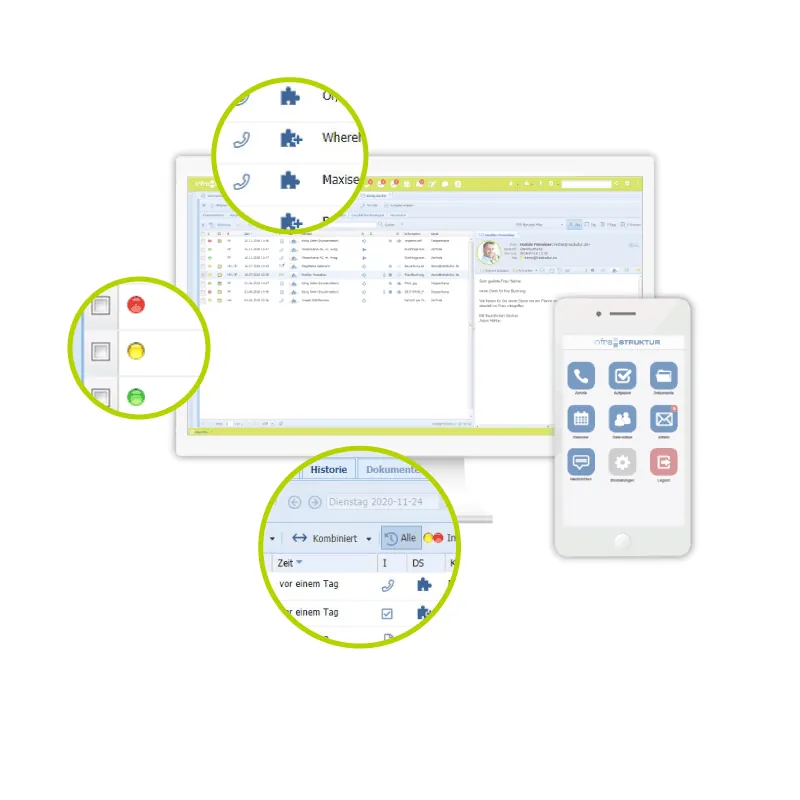
You jot down important call notes on a sticky note, which then ends up on the edge of your colleague’s screen? You pass on call-back requests by e-mail? You have no idea who is trying to reach you right now, or who tried in vain and still needs a call back?
Your customer care should take a different approach. Good customer management software can simply be connected to your phone. That way you always know who is calling you or has tried to, and you can call back with a click of the mouse. In addition, every call is automatically linked to the correct customer history and given a call note. So your colleagues also know what you agreed with Mr Meyer last Tuesday. Your colleague Sven needs to call the customer back because he knows the topic better? Delegate the call and enter a call-back request – done.

3. E-mails automatically in the right place
One thing is clear – the volume of e-mail will certainly not go into reverse in the coming years. That is why every e-mail needs a safe place in your customer management – suitably and automatically linked to the right customer, of course.
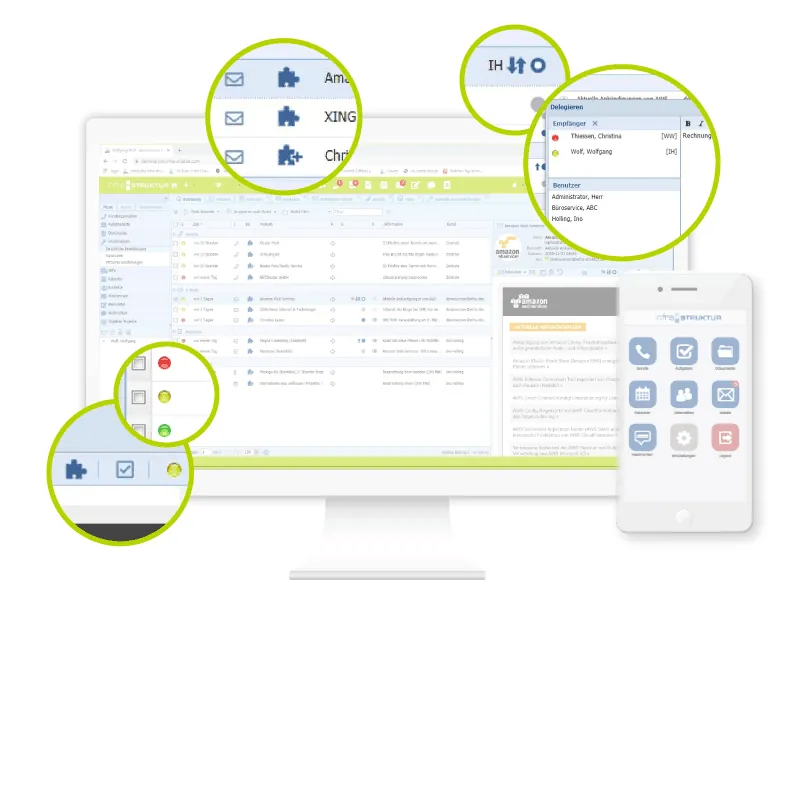
That way, nobody in the team has to play e-mail ping-pong. “Over-informing” everyone and putting them in CC / BCC so that they have access to the mail communication, should they ever need it, is no longer necessary at all. When you and your team look for e-mails, you find them in the right customer history anyway. So why all the forwarding madness that in the end nobody can really keep track of? Searching for the right mail can quickly cost a lot of time – bad for you, bad for your customer. And if you do need to inform your colleagues quickly because it is urgent, simply delegate your e-mail with a suitable note, or create a task straight away so that they know exactly what to do.
4. Tasks instead of paper chaos
Tasks are an absolute “MUST” in your customer management to keep track of everything and make sure nothing slips through the cracks. Why is this point so important? Well, where can tasks come from? You are on the phone with a customer, receive a new e-mail, have to check an incoming invoice, and you still need to prepare for the project meeting next Friday – and every now and then the plants need watering or the alarm system needs arming at the end of the day. We are literally showered with tasks. But how many of them can you keep in your head or on colourful sticky notes at the same time? How do you pass this task on to your colleague?
This is where your customer management program gives you the right tool: create a task for yourself or others that is linked, for example, to a call and the customer and reminds you on time to roll up your sleeves! That way, everyone immediately knows what it is about and can see the current status thanks to the task status.
5. Documents belong in your contact management
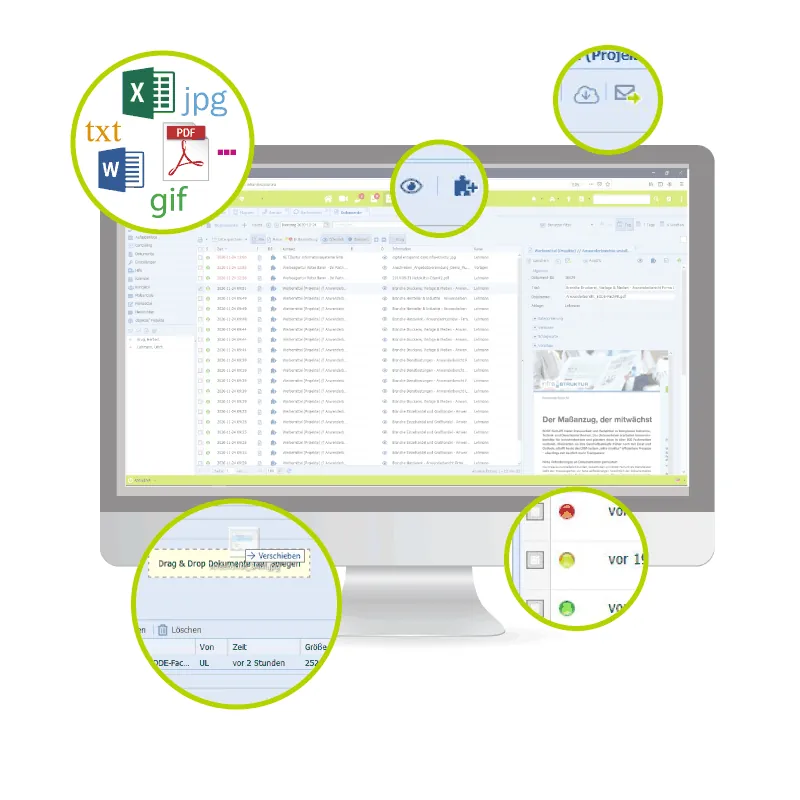
Document management usually works like this: there is a folder for every customer and business contact. Usually it sits on a server and you access it via your Windows File Explorer. At the top is the customer folder, and below it surely further folders, e.g. quotes, invoices, projects, e-mail threads and much more. To make the tree structure work out nicely, there are also subfolders and sub-subfolders. And somewhere in there are the files and documents you are looking for. Now which one was the right Excel file for the project again? Mayer_12-11-2020.xls, mayer_wolfgang_11-2020.xls or rather 11-2020-wolfgang-mayer_final.xls?
Managing customer data simply means getting it done efficiently and effectively instead of pushing a document graveyard along in front of you. Not to mention that wading through folders is pretty cumbersome (and, unfortunately, usually not possible when working from home).
Your customer management program makes sure that all relevant documents are in your customer history and you reach your goal in just a few clicks. In addition, everyone in your team can work with the same structure and knows where everything is. Filing things in the wrong place is no longer an issue either. Nor is the question of which file is the latest – the keyword is versioning instead of copying and renaming! Your colleague Maria needs to check the quote before it is sent? Just like with the e-mails earlier: delegate it with a suitable note, get feedback, carry on.
6. Link chat messages to customer data
Here again: away from e-mail ping-pong and far away from messengers with data protection concerns! Talk to your team via a secure chat and link your message to the relevant customer or project. That way everyone has access to it, and important information that tends to get lost in passing is neatly stored in the customer history and therefore traceable. Just as you know it from your private life, your customer management software should of course also let you send chat messages to a group or write one-to-one in private.
7. Calendar – link appointments to customer data
You surely already use a calendar to plan your appointments. That is all well and good, but it could be even better. How? If you could enter appointments not only in your own calendar but also in your colleague Lisa’s. It could then say what it is about, who is attending the appointment, both from inside and outside the company, and so on…
You could even refer to important documents that are on the file server, mail communication, notes you created for it, or preparations, e.g. checking in with your colleague Matthias on the current status. That would be the ideal use of a calendar.
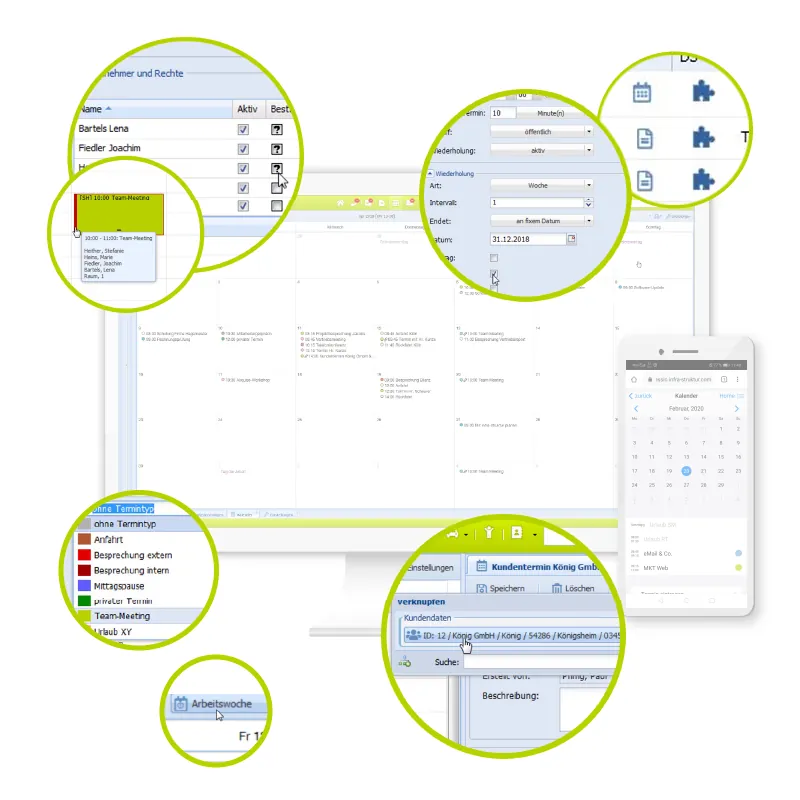
In the end, many pieces of information come together that you cannot easily take from the bare appointment, or that you previously gathered and researched thoroughly, but also laboriously. If instead you plan your appointments directly in your customer management software and link them to your customer data, you have access to the entire customer history without any fuss and are up to speed in a few minutes – so why do lots of research? You are running a specific project for a customer? Then link your appointments, and with them the time spent, to that project, so you can always see what happened when and with whom, but also how much time the project has taken.
8. Manage customer data from anywhere
To manage your customer data and keep track at all times, all your colleagues need to be able to access this information, and from anywhere. For example when working from home, at external appointments or even on holiday. So the aim is to be able to work regardless of where you are, and without a complex IT structure in the company. How is that supposed to work? With data-protection-compliant cloud technology from Germany, of course!